
10 improvements in the Plaece.base
Recently, a lot of improvements have been added to the Plaece.base. In this blog post, we will tell you more about the most recent changes.
Number of results visible in overviews
View category tree for administrators
Your destination central on the map
Search field optimisation
Set up dates and times more easily
Preview window has been extended
Status of locations and routes
Set status & call-to-action per calendar line
Filter by organisation including sub-organisations
Accessibility of media files inPlaece.base
Number of results visible in overviews
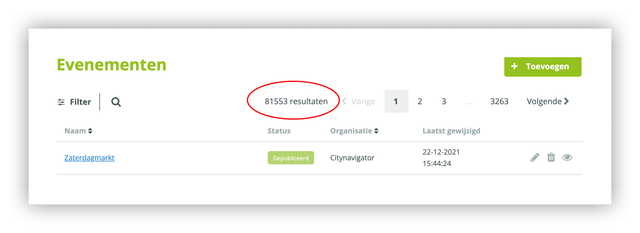
All overview pages in Plaece.base now also show the total number of results. So you can see at a glance how many items match your selection.
Category tree transparent for managers
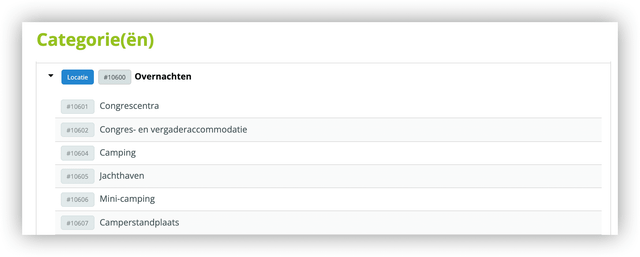
Administrators in the Plaece.base now have the ability to view the category tree. The category tree shows all main and subcategories that are available. Here, you can also view the IDs, which can be linked in the website's cms, e.g. for the base Keywords. Read more about using Base Keywords
Your destination central on the map
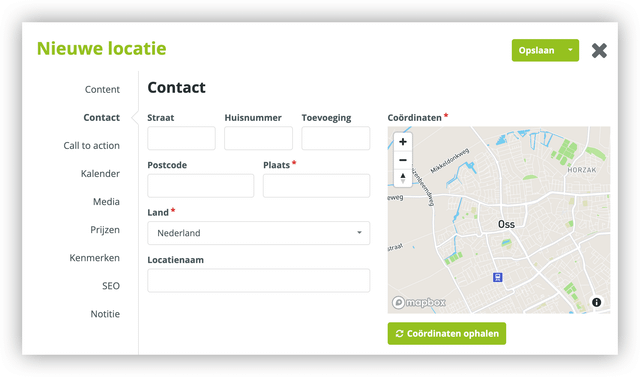
Some things actually don't stand out because it "just makes sense". This is another such improvement. When you are entering address details in the Plaece.base, the centre point of your own destination is automatically centred on the map. This means that 's-Hertogenbosch is no longer the centre of the Netherlands 😉.
Search field optimisation
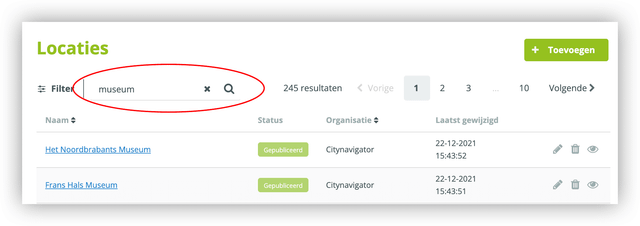
A number of improvements have been added to the search window in the Plaece.base:
- The search field is larger, so longer search terms are visible
- The entered search term remains visible even after pressing 'search
- The entered search term can also be deleted immediately
- The search action can be performed either by pressing or clicking on the search icon with the mouse
Set up dates and times more easily
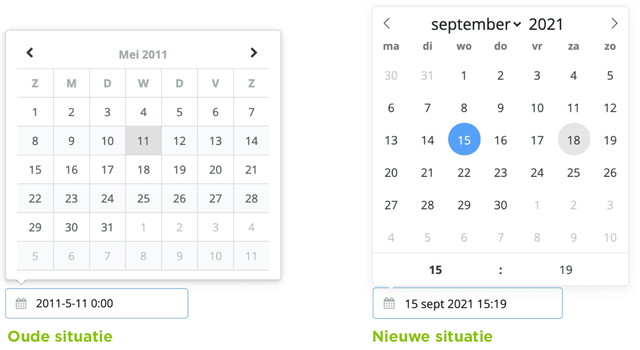
By implementing a new date popup, a number of improvements have been added:
- Days from the next month can also be selected, without having to click to the next month
- The week starts on Monday
- The date-notation is in a readable format (15 September 2021)
- The time is directly configurable and visible, no need to select the date first
- It is easier to change a month or year immediately
Preview window has been extended
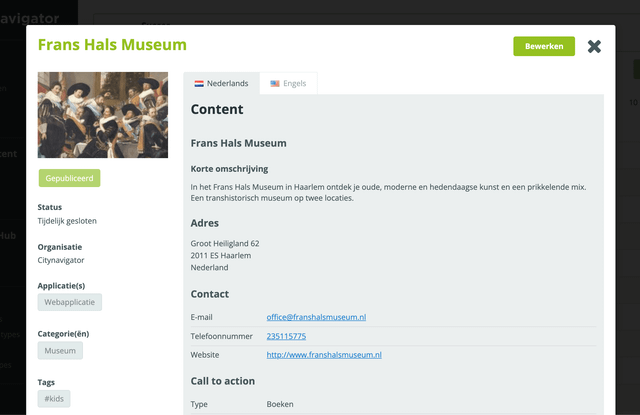
In the Plaece.base, it is possible to preview the most important data of an item at a glance. This preview has been enhanced with more information including:
- A better distinction between short and long description
- Extensive contact information added under address information
- Call-to-action has been added
- Price rules are displayed in the same way as calendar rules
- Delete date added
- Added statuses
Status of locations and routes
For events, we already had statuses available for some time; these have now also been added for location and itineraries.
Event statuses
- Date/time changed
- Cancelled
- Temporarily closed
- Postponed: date unknown
- Sold out
- Sales start from
Statuses for locations
- Permanently closed
- Temporarily closed
Statuses for routes
- Limited access
- Closed
Status & call-to-action adjustable per calendar line
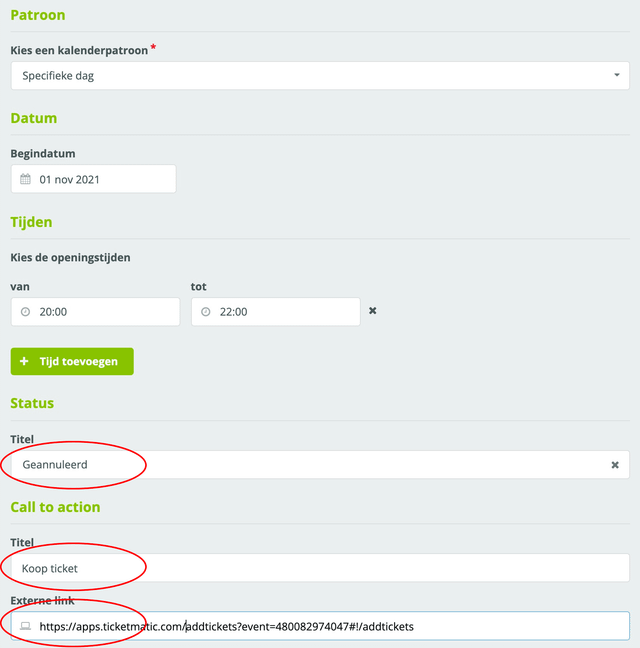
For locations and events, it was already possible to fill in a call-to-action, allowing a direct link to a booking system or external website. Now this is also possible per calendar line. The same applies to statuses. Read more about statuses
Example:
A show has multiple performances taking place at different times and on different dates. Using calendar entries, you can create a separate calendar entry for each date and time. Each calendar entry can be assigned an individual status (cancelled, sold out) and its own booking link.
Filter by organisation including sub-organisations
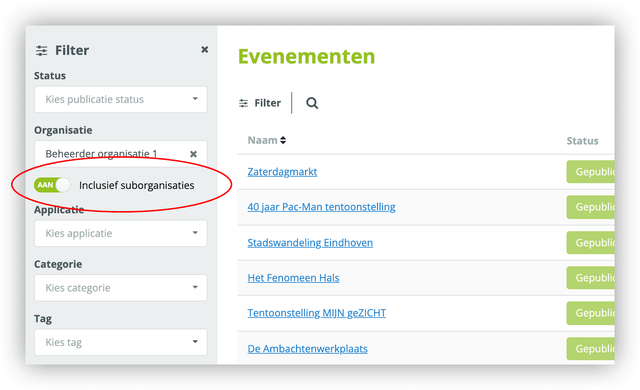
If you want to view all items from a specific organisation, you can use the organisation filter in the Plaece.base. Now, an option has also been added, allowing you to view all items of sub-organisations as well.
This functionality is also available for CSV export and PDF export.
Accessibility of media files in the Plaece.base
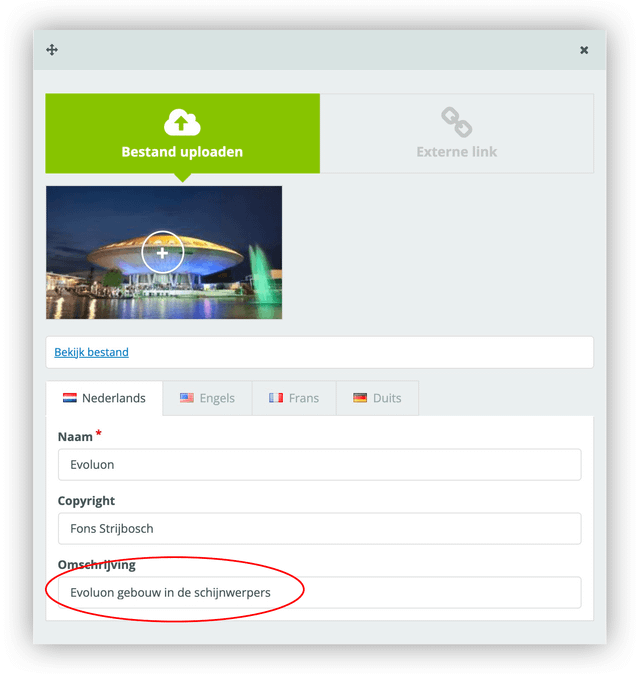 By adding a description to media files, it is possible to send extra information about the image, which can be used in the context of digital accessibility. The description can be used as text on the website. This way, you can better comply with the international standards of the Web Content Accessibility Guidelines (WCAG). Read more about digital accessibility.