
2 reasons why measuring statistics anonymously in Google Analytics is no problem
By default, Google Analytics is linked to your Citynavigator website. Within the AVG, it is not allowed to store visitor data that can be traced back to an individual visitor. If you use Google Analytics, without taking measures, you do not comply with the AVG / GDPR. This is because it stores IP addresses. But the solution is simple: store IP addresses anonymised! That sounds like you're losing a lot of data, but it's not that bad
What do you lose by storing IP addresses anonymously? And why that's actually not that serious at all.
1: Visitor origin (at city level) is less accurate.
In Google Analytics, you can see where your website visitors come from. From which country, for example, or even from which city.
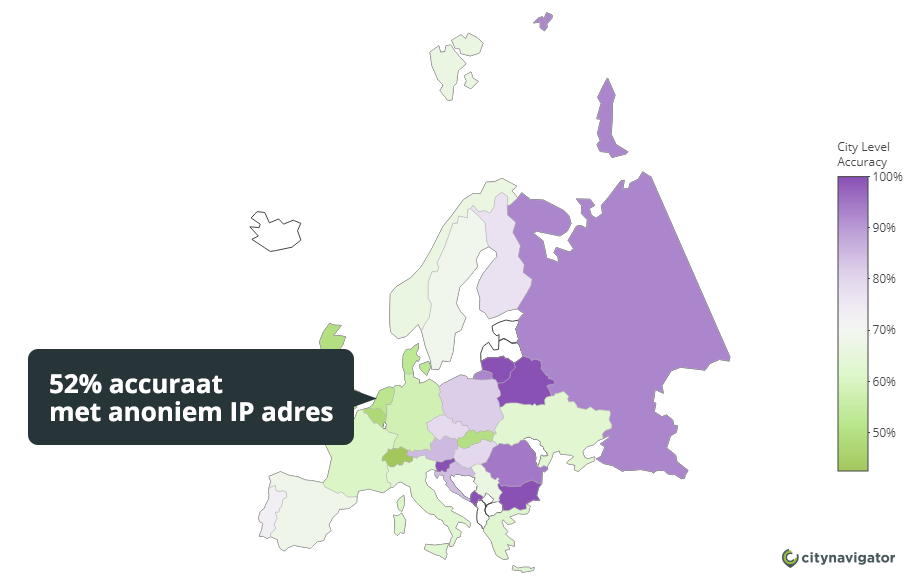
The accuracy of the cities wasn't 100% accurate anyway, so it only gets a little less accurate. After anonymously storing the IP addresses, the accuracy of the Dutch cities is 52%.
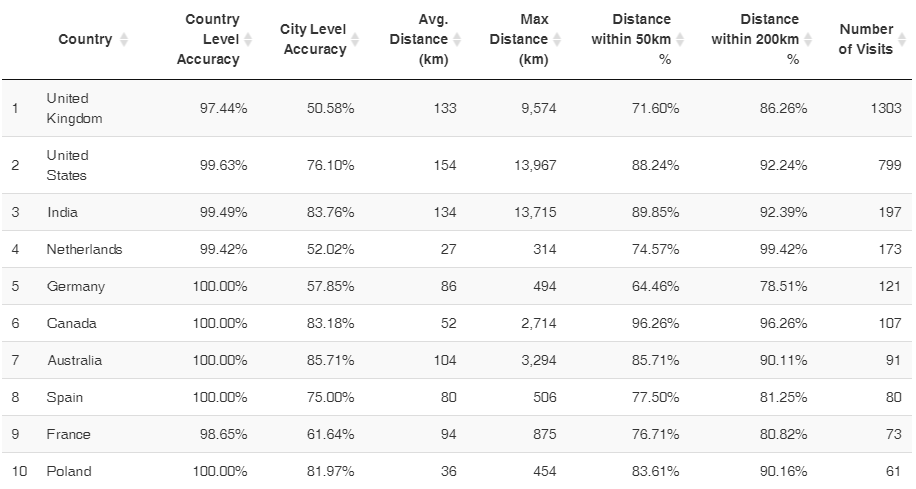
In concrete terms: the dots on the map get slightly bigger in some cities.
Extensive research has been done on geo-location accuracy in Google Analytics. Read the full study at: https: //rpubs.com/CW_Huiyan/anonymize_ip_ga_impact
2: IP address filters can be less accurate
Filters in Google Analytics allow you to exclude traffic from certain IP addresses (or a range of IP addresses). This allows you, for example, to exclude all visits from your own organisation in all results.
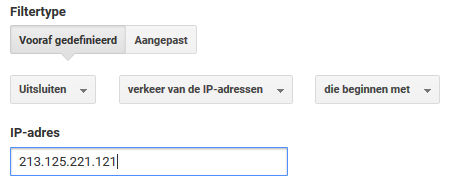
Because the IP addresses are anonymised, the IP filters are less accurate. After all, your neighbour could be in the same range as you.
There are 2 ways to use Google Analytics:
Google Analytics does NOT store IP addresses anonymously = Analytical cookie, so you MUST ask permission
By default, Google Analytics stores IP addresses of your website visitors. Within the AVG, this is not allowed without the user's consent. So you have to explicitly ask the visitor in your cookie notification whether you can store his personal data. You should also state what data you store and for what purpose.
Google Analytics stores IP addresses anonymously = functional cookie, so no need to ask permission
You do not need to ask permission for functional cookies. These functional cookies may not store any personal data. For example, a functional cookie remembers that you have given your consent for cookies to be placed (otherwise you would get a pop-up with every visit). Other examples include remembering your products in your shopping cart, or remembering that you are logged in. If Google Analytics stores IP addresses anonymously, you do not need to ask permission and Google Analytics therefore falls under functional cookies.
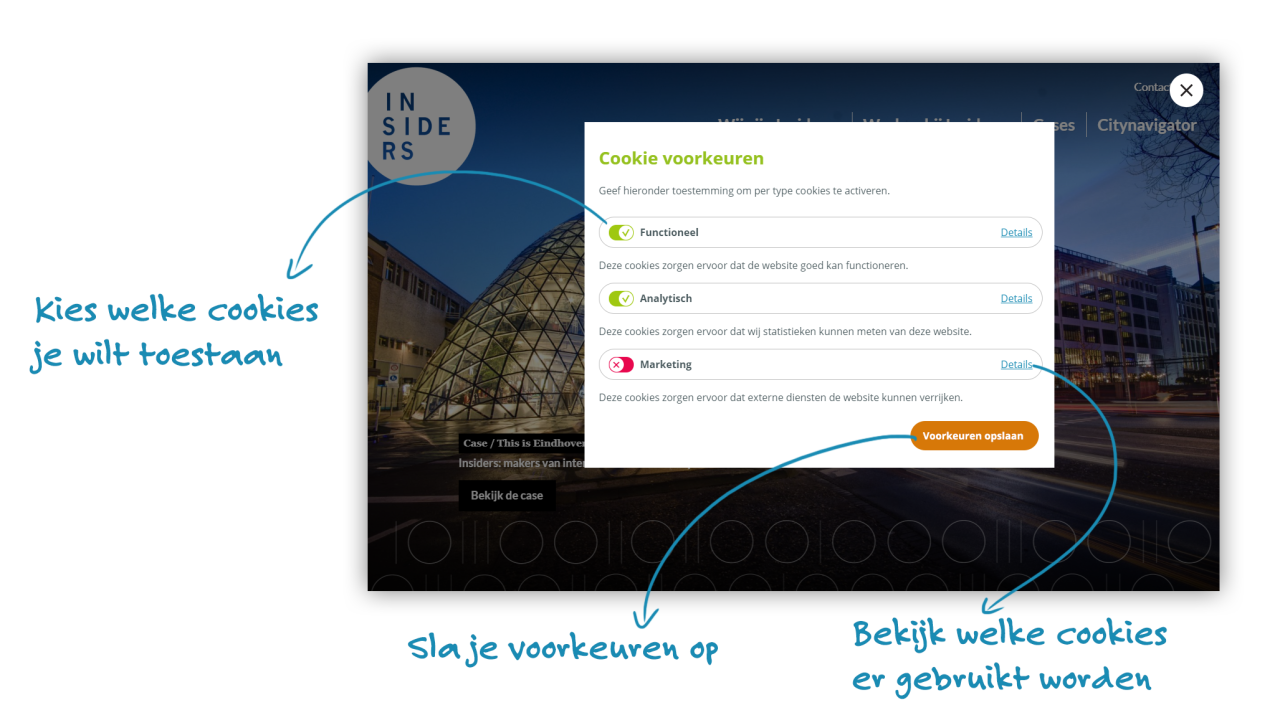
The new cookie notification allows you to indicate whether you want Google Analytics to work anonymously or not. The moment a visitor does not give permission for their IP address to be stored, the address is thus stored anonymously.
This is how anonymous storage works
Every website visitor has an IP address. This address is a unique code linked to your computer. Think of it as a kind of telephone number.
The IP address consists of a number of digits separated by dots, for example: 12.214.31.144
Basically, Google stores the IP address of every visitor who visits your website, plus the characteristics of your browser/computer and all the things you do on the website. That way, you can link all actions to an IP address.
If Google's "anonymous function" is enabled, Google will set the last digit sequence to "0". For example: 12.214.31.0
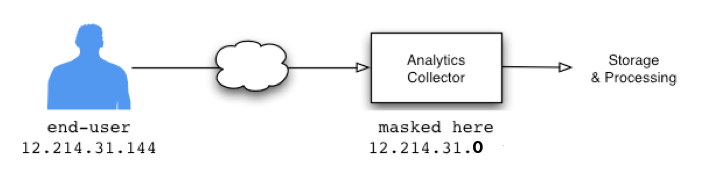
This way, the actions can no longer be traced back to one person, but at least to a group of people. So it is still not completely anonymous, though.
By adding a piece of code ('anonymize_ip': true) to the Google Analytics tracking script, the IP addresses of the website visitor are stored anonymously. This makes it no longer possible to trace visits to a single person.
We have already added this option for everyone in the past in the new AVG-proof cookie notification.
Conclusion: Save IP addresses anonymously in Google Analytics
If you use Google Analytics and collect IP addresses, save the IP addresses anonymously. That way, you comply with the AVG and GDPR. The amount of data you lose by doing this outweighs the fact that you comply with all privacy laws. So you do not need to ask permission for this cookie either.
If you do want to store IP addresses, make sure you configure the cookie notification correctly and also explicitly ask the visitor's permission to store their IP address. We have also prepared standard texts for everyone of the most common cookies. These explain what the cookie does and where the (external) privacy statement can be viewed. You can place these texts yourself in your own cookie notice.