
3 new useful route functionalities
The route functionality has recently been further developed in cooperation with Recreatieschap Drenthe, Routebureau Utrecht, Merk Fryslân and Toerisme Veluwe Arnhem Nijmegen. In this article, we tell you what the new functionalities are and what you can do with them. These new features are immediately available in plaece.base.
End point of the route is the same as the starting point
When managing routes in Base, it often happens that the end point of a route is the same as the starting point. The route then runs in a circle. From now on, it is possible to indicate with a checkmark that both the end point and the starting point are in the same location.
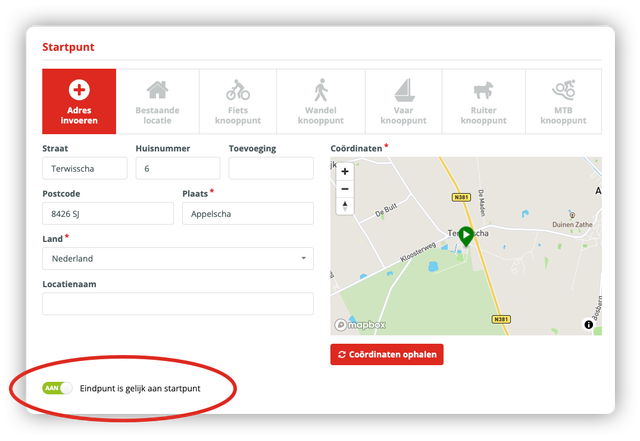
Psst... By the way, did you know that the starting point of a route does not always have to be an address? You can also choose to have a route start at a location or junction! Read more about it in the article: 16 essential improvements in Base in 2019.
Add call-to-Actions to itinerary stopovers
A route can be provided with intermediate stops. These can be (cycling/walking) junctions, but also interesting locations where the visitor can make a stop. In Base, you now have the option to add a Call-to-Action per stopover. You can choose from the following options:
- No call-to actions
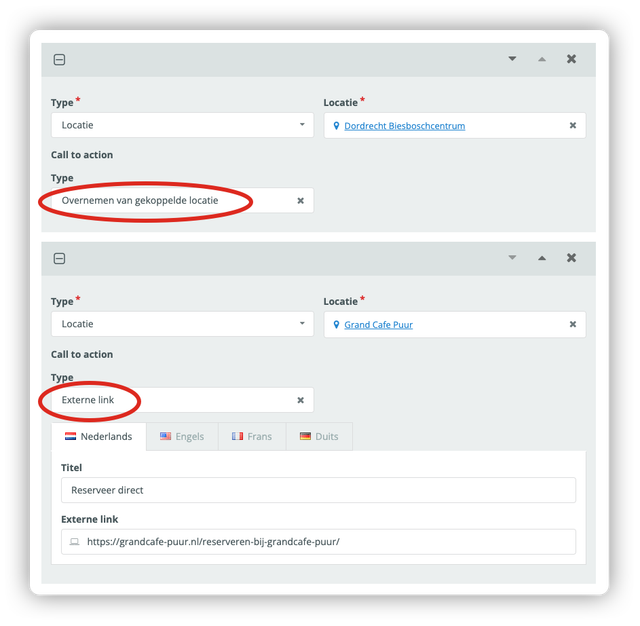
- Copy the Call-to-Action (CTA) from the linked location
If you have selected an existing location from Base as a stopover, you can choose to automatically copy the CTA that you have already entered for that location. This allows you, for example, to display the link to the booking system directly on the route details page. As soon as you update the CTA for the location, it will automatically be updated for all routes. - External link
For each stop, you can choose to manually enter a website address (hyperlink). This gives you maximum flexibility to add relevant calls to action to individual routes (and their associated stops).
On the route detail page of your website, you will now see a new button at the waypoint. If the visitor clicks it, he will be redirected directly to the set Call-to-Action.
Folding in and out of intermediate stops
Managing routes with many stopovers has been made much more user-friendly. You can immediately choose to collapse all stopovers. You will then see a handy overview of all the names of the intermediate stops (nodes and locations). You can choose to drag the waypoints in a different order, or move them up or down using the arrows. Do you want to edit a waypoint? Then just unfold this waypoint.
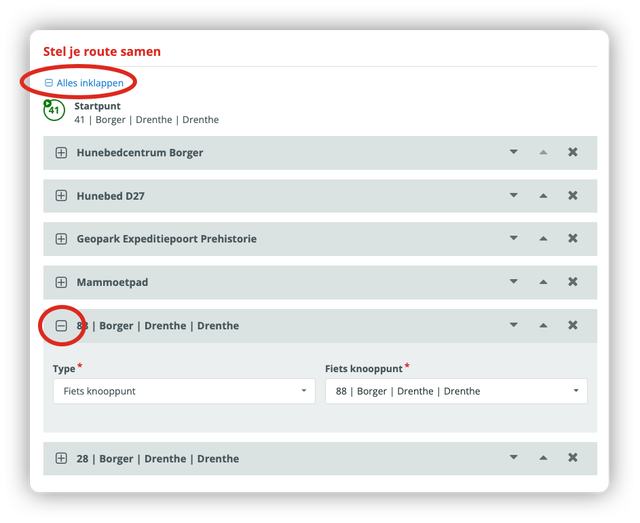
Psst....did you know we added this functionality to prices, calendar rules and media?
Happy with these enhancements?
We hope everyone is happy with these enhancements. Do you have additional wishes or suggestions? Let us know via support@insiders.nl