
A new way to make your destination shine online
Sometimes you want to quickly show all the beauty of your destination. This can be done, for example, through a collection of photos (Media Collage) or a collection of tiles (Doorway Grid). But we have something new for you: the Showcase pagepart.
With the showcase pagepart, we can show a kind of slideshow a number of beautiful images with a descriptive text. Actually, it is a bit of a cross between the old familiar carousel, combined with the Navigation pagepart.
How the showcase page works
You can add multiple slides in the pagepart. Each slide can include a "navigation button", an image, descriptive text and a call-to-action. All slides are then automatically placed one after the other, with handy buttons attached. The visitor can then see at a glance which topics are available for viewing, and can easily browse through the showcase. View the demo here .
Example: 24 hours in Almere
The example below shows how we have split a day programme into morning, afternoon and evening sections. For each part of the day, we can make a slide and tell you more about it. Clicking on another part of the day opens the corresponding slide.
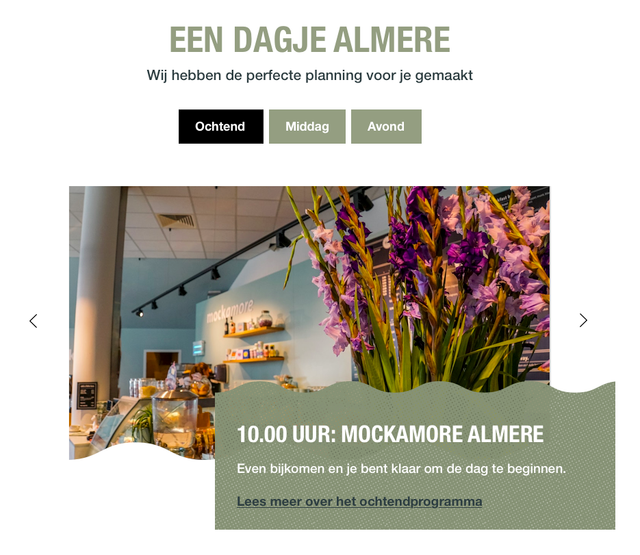
Example of the showcase pagepart
Example: Top 10 with sneak preview
In the example below, we have created a "top 10". The visitor can browse through the top 10 very easily. We also made it possible to show a sneak preview of the next slides. This allows us to whet the appetite of the visitor for the next slide.
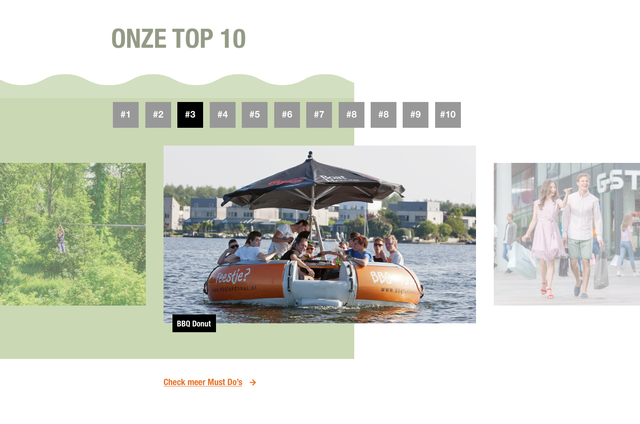
Example of the showcase pagepart with the sneak preview