
Combine several blogs in one overview
At times, there may be multiple blog pages on your website. For example, you might have a separate blog for your residents and a separate blog for your visitors. Both blogs have their own article overview with their own categorisation. But what if you want to show one overview with all the articles from both blogs?
Until recently, this was unfortunately not possible. With the latest update, you get a number of new possibilities in the blog module.
In the content management system, you can create a new blog overview page. Within this page, you can add new blog articles. If you have several blog overview pages, you can create unique blog articles on all three pages. By default, these articles will only be shown on their own overview page.
An example:
If you have three blog pages on your website (e.g. one for visitors, residents or businesses), each blog page will only show the articles of the relevant target group. For each blog article, you can indicate by means of a "parent" to which blog the article belongs.
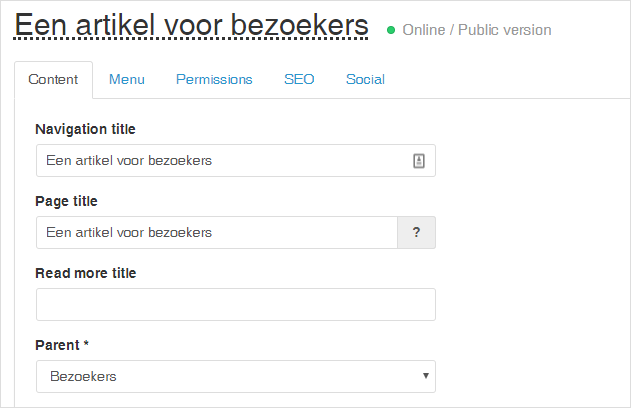
Example of assigning an article to a specific blog
If you want to create a new page of all blog articles on your website now, you can do the following:
- Create a new blog page where you show all the articles from all the blogs on your website
- Create a new content page, where you use a pagepart to select articles from the various blogs on your website
Combined blog page of all blogs
If you want to create a new blog page where you want to show all the articles from all the blogs on your website, you can create a new page and choose the "blog" type.
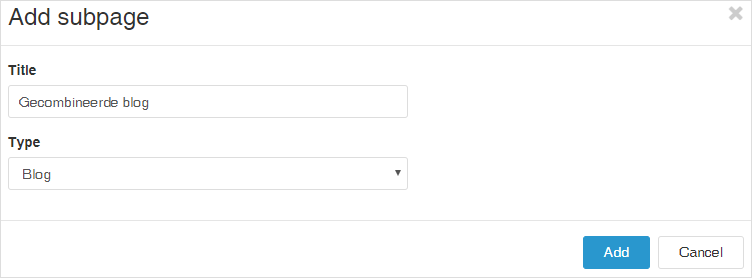
Example of creating a new blog page
In the settings of this page, you can then check the option "display content from all blogs". So now you will see all articles from all blogs on your website on this page.
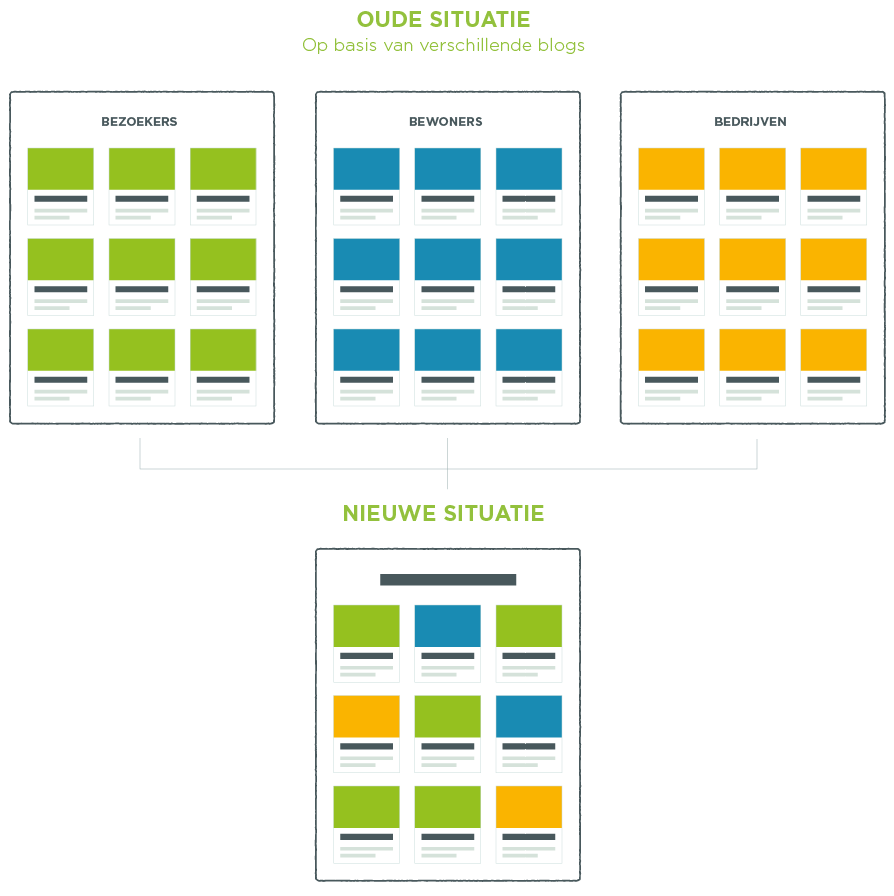
Combined overview of blog articles with a pagepart
If you want to display a block with articles about several blogs on a particular page, you can also choose to use a page part: the page part "Blog Tiles". This makes it possible to place a selection of articles on a content page. With the pagepart, you can choose which articles from which blogs you want to combine. So if, for example, you want to combine the articles from the visitors' blog with those from the residents' blog, but do NOT want to show the articles from the companies' blog, this is possible.
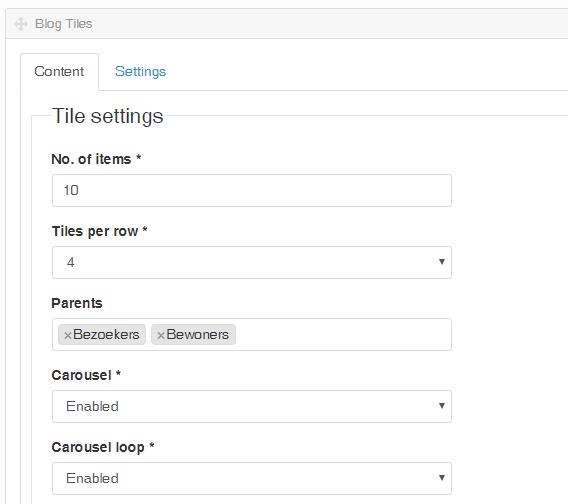
Example of settings of the "Blog Tiles" pagepart
We have now only covered the scenario of multiple blogs. It is of course possible to achieve the same result using categories and/or tags. This allows you to create one blog page, which you can subdivide through categorisation or tagging. Which way is best to apply depends very much on the website design and the purpose of the blog. We will be happy to advise you on this!