
Easily create your own media bank, download centre or photo book
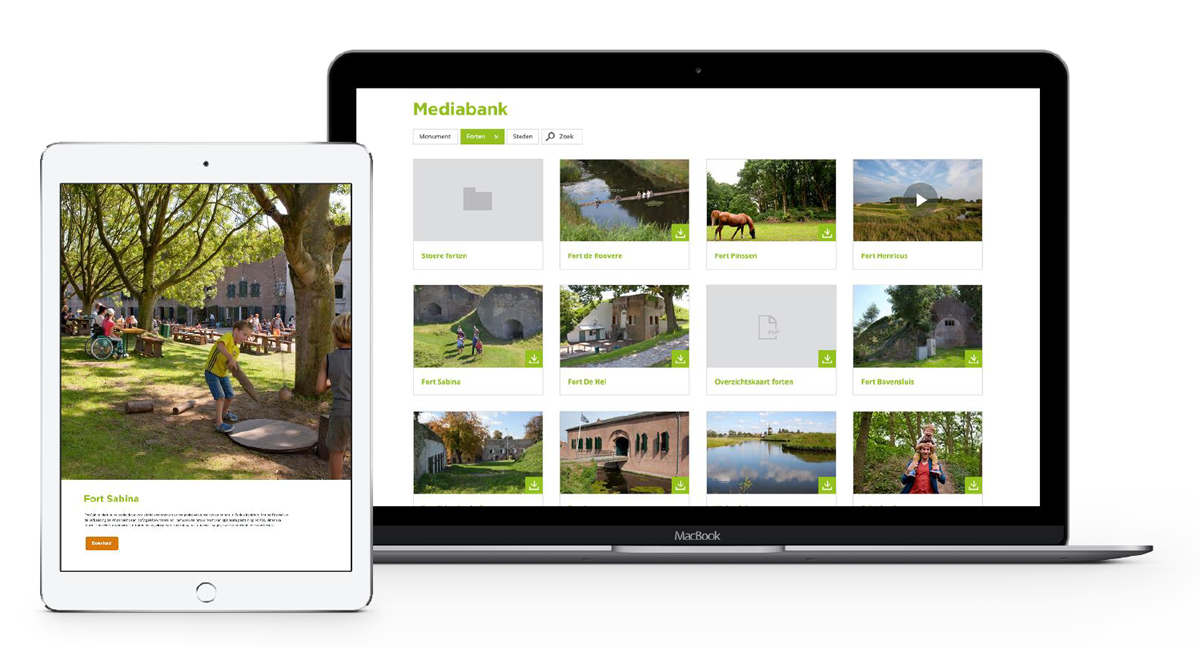
With the new media database module, it is possible to display map content from the content management system on the website.
With this new module, you can easily put a photo book on the website or set up an entire download centre.
A world of possibilities
Sometimes you have some files you would like to share with the world. This could be in the form of a nice photo collage, or it could be a collection of downloadable files. With this new module, we provide a number of useful applications:
- Photo books
- Direct download
- Download bundle (shopping basket)
Photo books
Upload a series of photos into the content management system and display them on the website. This is already possible within the website with a number of pageparts, but it often requires a lot of manual work with a large quantity of photos. With the new media database module, you're done with one click. You select a folder from the media bank, save the page and all the photos in this folder are displayed directly on the website (okay...it's 2 clicks...)
Download directly
If you would like to make some files available for download (think brochures, high-resolution images or videos), you can turn on the download functionality. When this option is activated, all files you have selected will be offered for download. Website visitors can download the files directly by clicking on them.
For image materials, it is even possible to offer various formats for download (small, medium, large).
Download bundle
Do you want to know who is downloading your files or do you want to download all files at once as a service? Then enable the "download bundle". The website visitor puts all the files he wants to download in a shopping basket and can download all the files in one go as a ZIP file.