
Improved calendar rules and opening hours
In plaece.base, it is possible to add calendar rules to events. In these calendar rules, you can enter the dates when an event takes place (possibly in certain patterns). In locations, opening hours can be entered. In the new update of base, it is possible to add multiple opening hours and set calendar rules for different languages.
How calendar rules work
The name "calendar rule" says it all. You can create multiple rules with calendar data. Each line can contain a new date range. You have the following options per calendar rule:
- Language
- Pattern:
Specific day
Daily
Weekly
Monthly
Annually - Date (including any repeat pattern)
- Opening hours
Calendar data (and patterns) for events are also used in the getaway calendar, to sort events in a chronological and logical order.
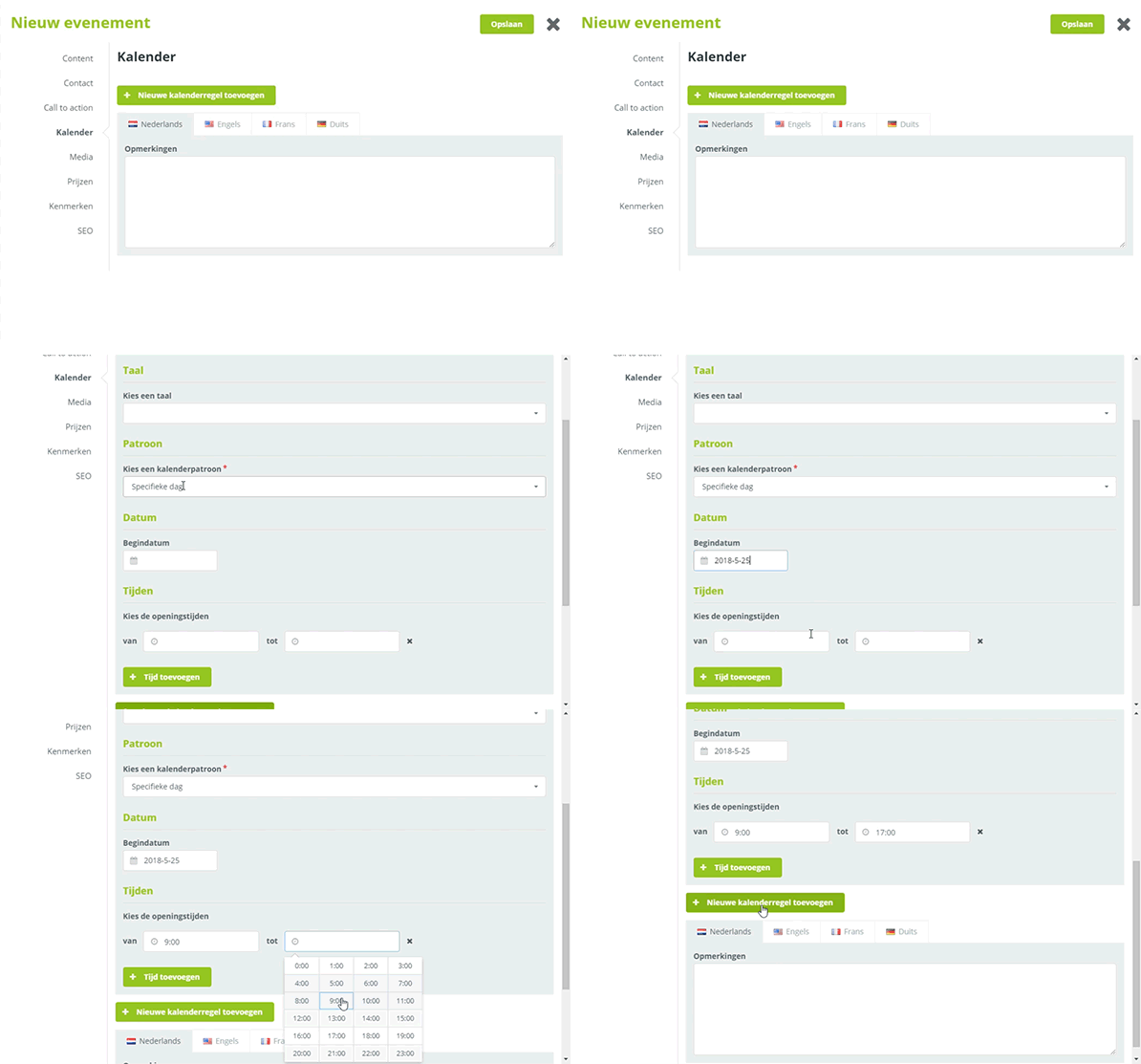
Example of calendar rules
Add multiple times per calendar line
With the latest update, it is possible to add multiple opening hours to the calendar. Until now, it was only possible to enter a maximum of two opening hours.
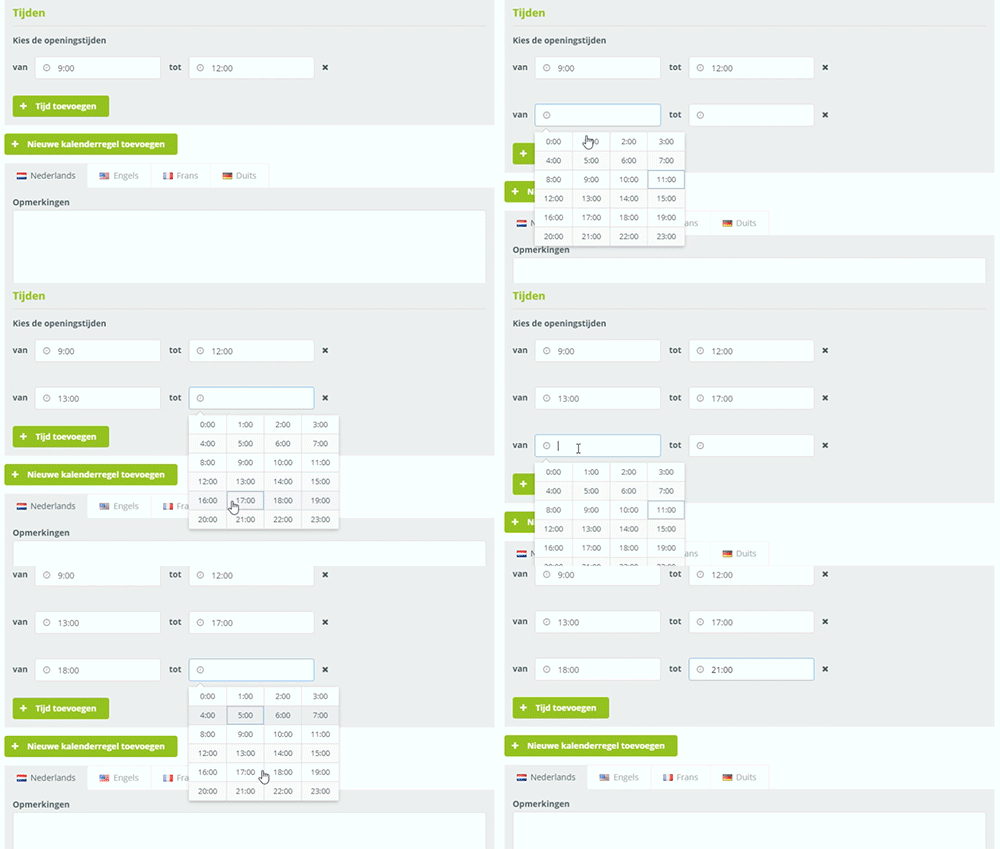
Add example of multiple times
In the new interface, you can add a new time line by clicking on the heading "Add time".
Set up calendar rules per language
It is now also possible to make each calendar line available for specific languages.
An example:
A tour for Dutch and English visitors will take place every Saturday from 13:00 to 14:00. For German visitors, the tour takes place from 15.00 to 16.00.
If a visitor comes to the German-language website now, it is possible to show only the tour from 15:00 to 16:00.
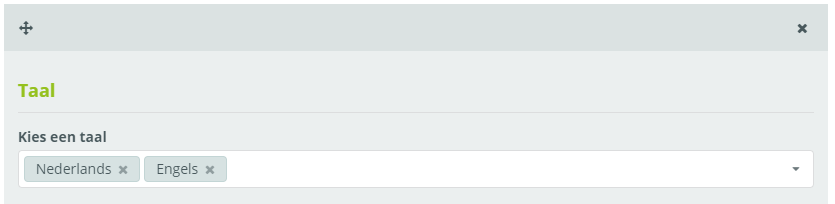
Example of language setting per calendar line
With this update for calendar data, it is possible to enter even more extensive calendar patterns. You now also have the option to show only the relevant opening hours on a multilingual website!