
Log in with your Facebook, Google or Twitter account
Visitors to your website can create an account to save their own favourites, or to leave tips and reviews. It is also possible to log in with a Facebook, Google or Twitter account using OAuth.
We have more and more accounts with increasingly difficult passwords. The requirements for a strong and secure password are also becoming increasingly stringent. That's why you can now offer visitors the option of logging in with their Facebook account (or any other account that supports OAuth). The new OAuth module can be installed in addition to the already existing login module.
Login with a social media account
As soon as a visitor wants to log in to the website, he can choose to log in with his social media account (e.g. Facebook, Google or Twitter). In addition, the option of logging in with an e-mail address and password is of course still available.
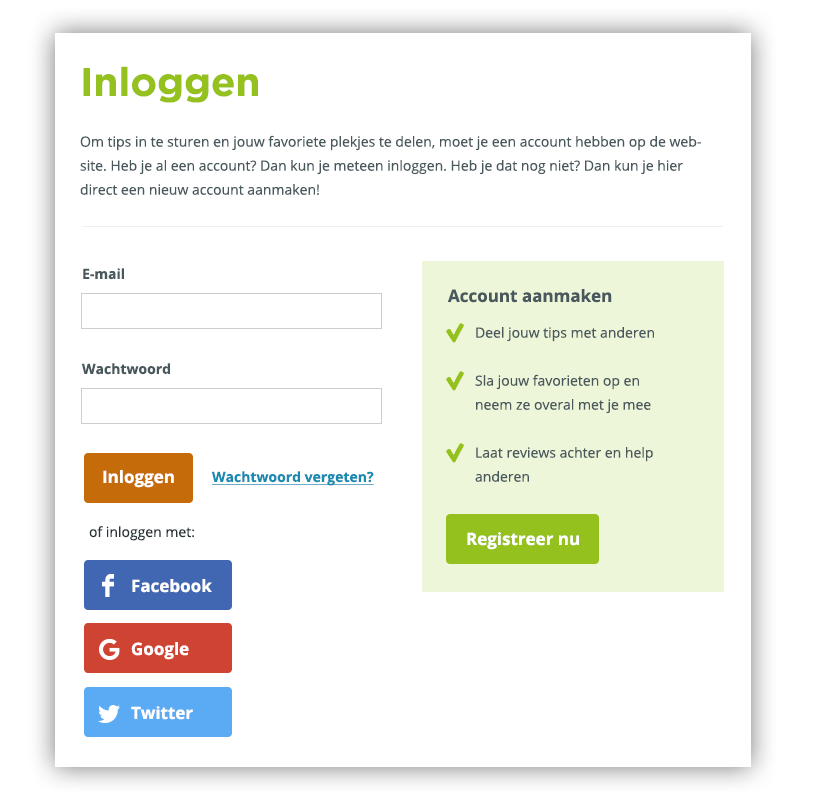
Example of Facebook, Twitter and Google login possibilities
Facebook checks whether you can log in
As soon as the visitor wants to log in with, for example, Facebook, the website checks whether there is already a user with the logged-in Facebook account. Of course, the visitor has to be logged into Facebook. If the Facebook user is known in the website, then you are immediately logged in.
If the website sees that there is no known user on the website yet (which belongs to the logged-in Facebook account), Facebook will ask for permission.
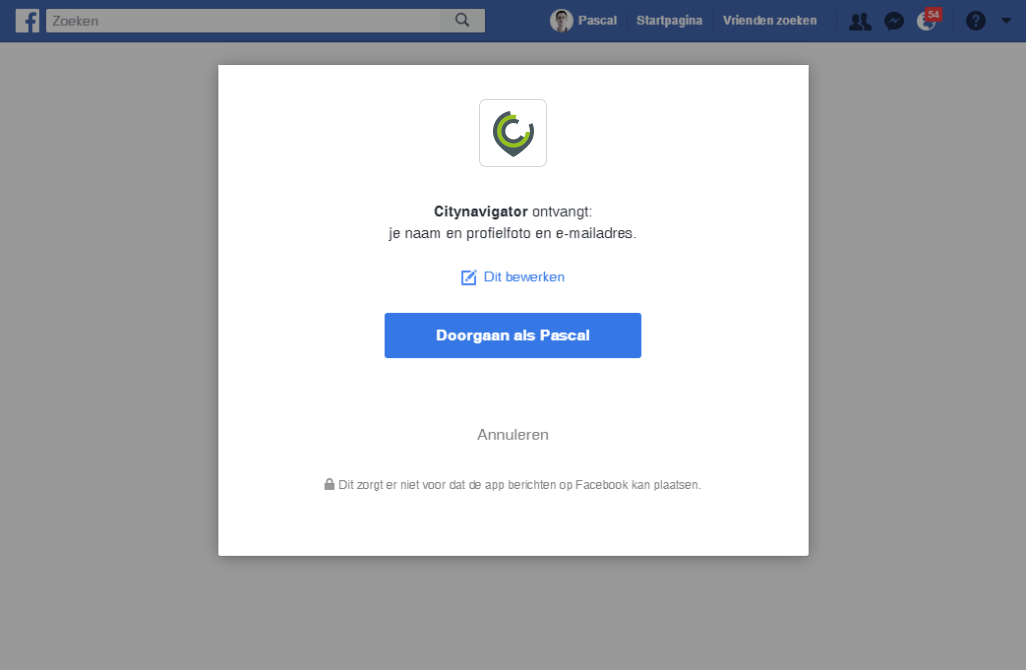
Facebook asks if you want to give the website access to your personal data
A new account based on your Facebook data
If the visitor grants access, you will return to the website. All known data from Facebook are automatically populated in the profile. The visitor only has to fill in the missing mandatory fields (if any) and agree to the website's terms and conditions. From this moment, the visitor can now log in with his Facebook account with a single click.