
New help button in Base
When using Base, your entrepreneurs may have questions. You now have the option to make your contact details available to entrepreneurs through the new help button.
Not everyone always has the right contact details at hand, so we have added a new help button in Base. You decide whether the help button can be activated and what data you make available.
Set up your own contact details
Are you a Base administrator? Then go to your organisation's settings via Manage -> Organisation. Choose your own (management) organisation there.
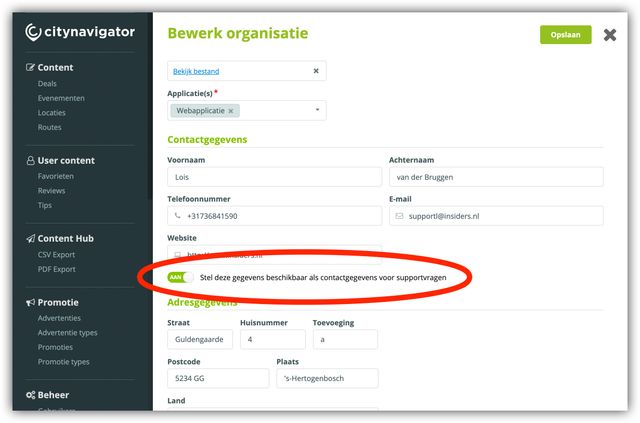
Fill in the required contact details and tick the option "Make these details available as contact details for support questions". A handy contact button will then automatically appear for all entrepreneurs (under your management).
The new contact button
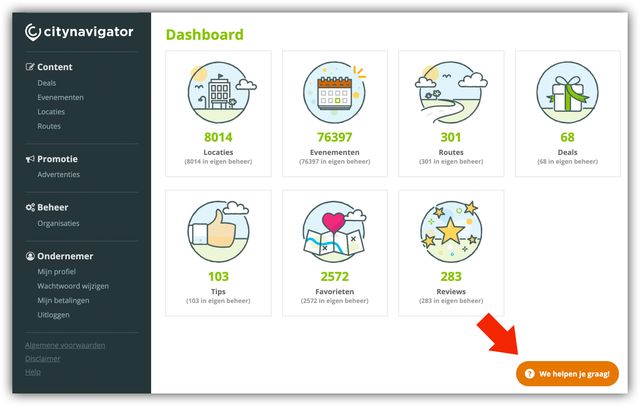
The contact button floats at the bottom right of the screen.
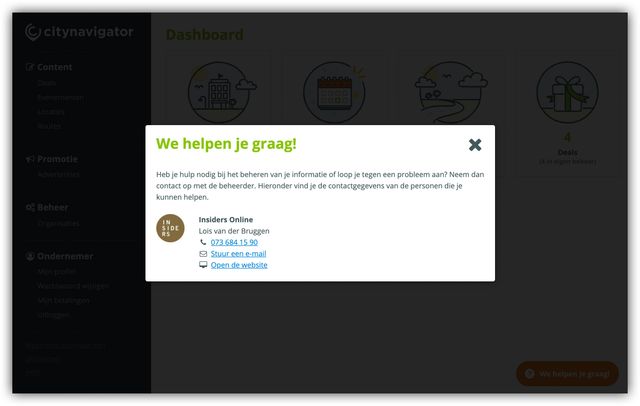
If a user presses the button, a pop-up opens with the administrator's contact details.
 By default, the contact button is off, will you turn it on?
Need help?
Contact us at support@insiders.nl We'd be happy to help!