

Plaece.base April 2025
Every month we release a new version of plaece.base. This month's version is: v3.72. The below improvements in plaece.base will be available to everyone in April.
What has been improved?
-
Promotions are now called ‘Boosts’
A ‘Boost’ allows you to give businesses or activities a boost during a specific period. This boost can do a number of things:-
By adding a score, you can influence the sorting. For example, you can always show an entrepreneur first in the overview.
-
By adding a "Boost type", you can make a listing stand out visually on your website. For example, link a "Boost: Highlight" to your event and give it an eye-catching colour or a "TIP" label.
-
-
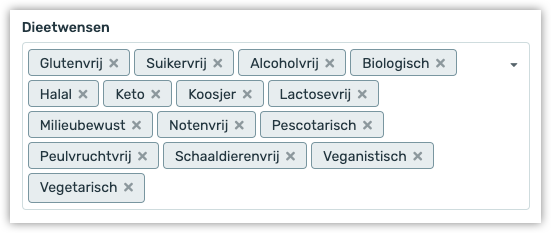
Dietary requirements added
In Base, you can now also add dietary requirements for catering establishments:
-
Technical updates
Updates to the underlying technology (For those interested: API Platform, Composer)
Plaece.creator April 2025
April's version will be numbered V2.79 and V2.80. This is important to know, because then you can always check what the latest version number of your own website is. That way, you know what improvements will be available to you when your own website is updated.
For plaece.creator, you’ll see improvements as soon as an update has been implemented on your website. It’s therefore possible that you won’t see the improvements in plaece.creator until a later date. Would you like the improvements to be available at a time of your choosing? If so, please contact support@insiders.nl.
You can purchase new features as add-ons for your website. Adding features almost always requires an update, unless your website is already fully up to date.
View the full overview of all releases
What has been improved in V2.79?
-
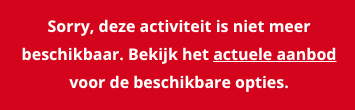
Comprehensive notification for past events
One of the most important pages on your website is the events calendar. This is full of (temporary) events. Once an event has taken place, it automatically disappears from the calendar, but the page can often still be found via Google. If a visitor lands on a page for a past event, we display a clear message stating that the event has already taken place (to avoid disappointment). At present, this is just a text explanation, but from now on, we will also immediately display a link to the most up-to-date events calendar.
-
Random sorting of blog posts
At present, your blog articles are sorted by date by default. Your most recent blog articles appear first in your overview. Marketing Drenthe asked whether it was also possible to display blog articles in a random order. We’ve added that feature! To ensure that visitors aren’t confused by seeing a different order every time they visit, the sort order is locked for 24 hours. The articles will therefore appear in a different order the following day. -
Performance improvements
Within the CMS, you can create links to other pages on the website. We have significantly optimised the way hyperlinks are selected, meaning it is now quicker to create a link to another page.

-
Improvements to digital accessibility
Following various audits, further improvements have been implemented to make the website even more accessible, thereby complying with legislation on digital accessibility. -
Focal point added to route flyer
In Base, you can add a focal point to an image. This allows you to specify which part of the image should be displayed most prominently and where the crop should be adjusted accordingly. This focal point is now also used in the route flyer. -
Filter blog posts by parent
You can create multiple blog overviews on your website. When creating a blog post, you can specify which overview this article will appear in. If you now view your blog articles in Creator, you can see at a glance which overview the article was created for. You can also filter directly to view all articles in a specific overview. This is handy if you’re looking for specific articles. -
Naming of features & page parts updated
The new naming of page parts and features has now also been implemented in Creator. See below for an overview of all the name changes:Old name New name Promotions Boosts Question & Answer Quiz List pagepart FAQ District pagepart Sense of Place Manual Base Item pagepart Base Item Picker Multi Media grid pagepart Multimedia Grid Issuu pagepart Issuu Embed Instagram pagepart Instagram Embed Menus Menu Builder Base Areas Match: Base Areas Base Blog mapping Match: Base Blog Base Attributes Match: Base Attributes Base Categories Match: Base Categories Base Keywords Match: Base Keywords Modules Features -
Filtering images
When adding images to page parts, the filtering options to filter photos were sometimes missing when ‘thumbnail view’ was enabled. We have now added this feature.
What has been improved in V2.80?
-
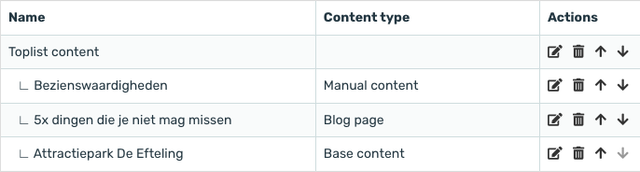
Toplist overview expanded to include ‘Content type’
In the Toplist page part, you can create content that can be used in multiple places on the website. You can create the following types of content: Manual content, Base Content and Blog content
New page part: Image Reveal
Do you want to show a before-after situation? Or show what your current location used to look like? Then use our new Image Reveal pagepart. Using a scroll bar, you can see the difference between two photos. Use the new Image Reveal pagepart to make your pages more interactive and let visitors really discover your destination.
Request price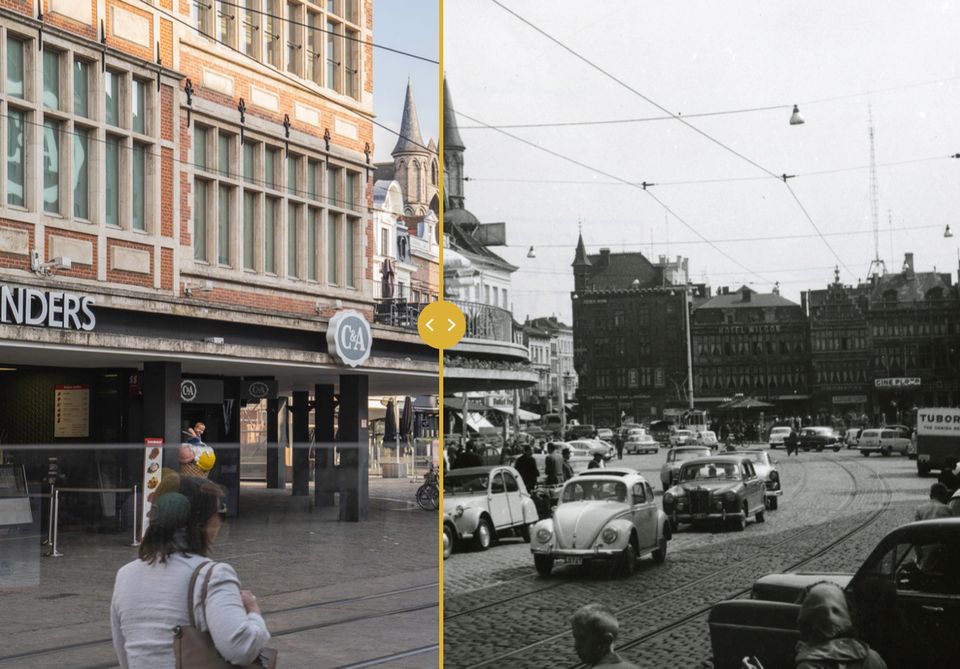
New feature: Blog Boost
You write blog articles that are well appreciated by your visitors, and help you find your destination. But how do you make sure your articles show up in your blog listings at the right time? By default, blog articles are sorted by date: Your most recent articles come first on your blog. But with the new Blog Boost feature, you can influence this. You can make sure that summer blog articles are automatically shown first in summer, or "Tips for a Sunny Sunday" on the most beautiful day of the week.
With Blog Boosts, you can determine exactly which articles are shining first in your blog overviews and when!
Request price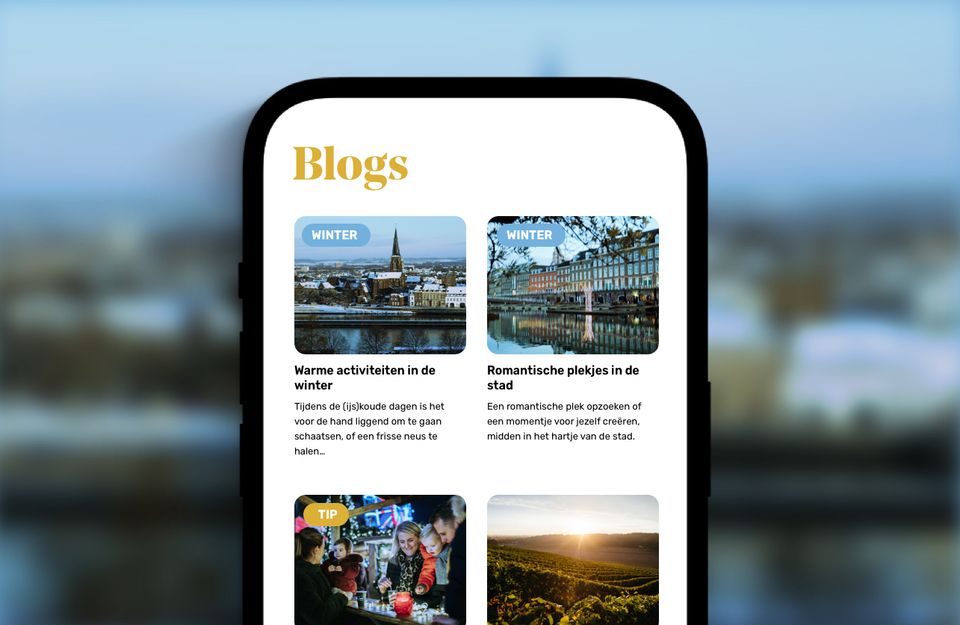
New page part: TikTok Embed
We all know that TikTok is becoming increasingly popular for distributing content. With the new pagepart "TikTok Embed", you can now also embed your TikTok videos in your website. So you can reuse your social content smartly!
psst...did you know that you can also embed Instagram Posts on your website with the "Instagram Embed" pagepart?
Request price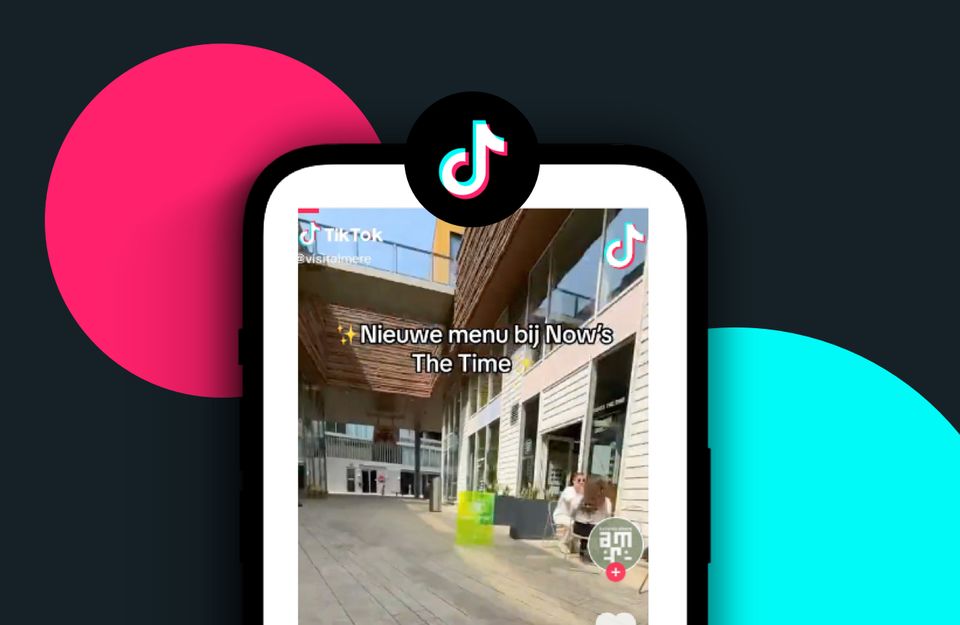
Receive Plaece News automatically?
Plaece News is sent to all Plaece licensees every month. If you do not yet receive it, sign up here.