
Plaece.base January 2025
Every month we release a new version of Plaece.base. This month's version is: V3.71. The improvements in Plaece.base below will be available to everyone in January.
What has been improved?
-
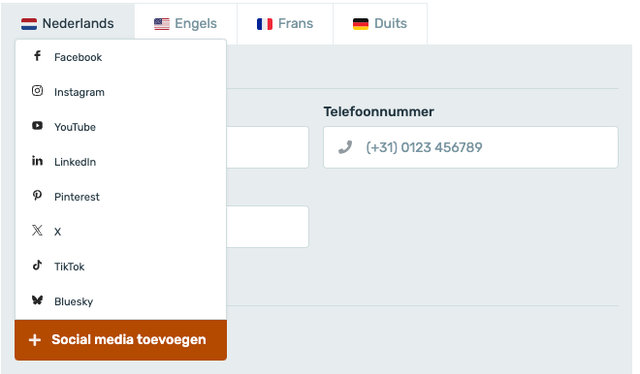
Bluesky platform added to social media channels
When filling in your contact details, you can now also choose the Twitter alternative: Bluesky (https://bsky.app)
-
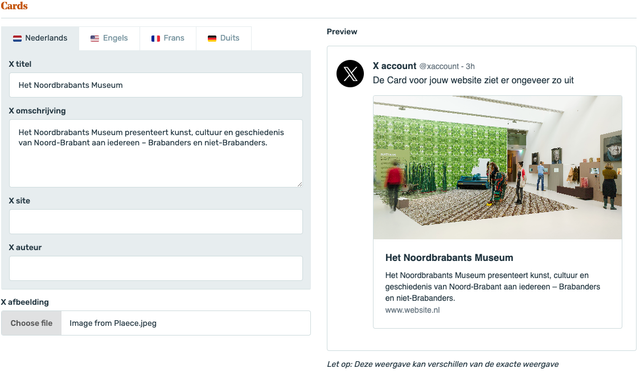
X icon added to SEO preview
When viewing the SEO preview of X-Cards, the old Twitter icon was still being displayed. This has now been replaced by the X icon.
-
API Extension: Sorting routes by distance
Via the API, it is possible to sort routes by ‘distance’. You can retrieve the routes closest to your location. There are now two ways to sort:-
Based on your starting point
You can see which routes start closest to you -
Based on the route line
You can see which routes pass closest to you
-
-
Technical updates
Updates to the underlying technology (For those interested: Composer)
Plaece.creator January 2025
January's version will be numbered V2.78. This is important to know, because then you can always check what the latest version number of your own website is. That way, you know what improvements will be available to you when your own website is updated.
For Plaece.creator, you’ll see improvements as soon as an update has been implemented on your website. It may therefore be the case that you only see the improvements in Plaece.creator at a later stage. Would you like the improvements to be available at a time of your choosing? If so, please contact support@insiders.nl.
You can purchase new features as add-ons for your website. Adding features almost always requires an update, unless your website is already fully up to date.
What has been improved?
-
Lazy Load for plaece.suggest
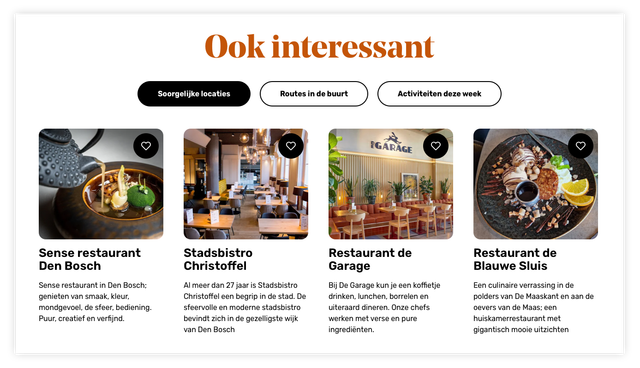
On Base detail pages, you can display related content using the `plaece.suggest` feature. This could include interesting locations or similar events. To optimise the performance of the detail pages, we load this related content using lazy loading. This means that the content is only loaded once it is about to come into view. This allows the page to load much faster initially. If the `place.suggest` consists of multiple tabs, we only load the first (visible) tab. When the user clicks on a different tab, we only load the new items at that moment. This saves a great deal of data traffic and makes the page respond much more quickly.
-
Breadcrumb optimisations
If you use breadcrumb navigation (which shows you exactly where you are in the page hierarchy), we have made a number of minor improvements to this feature. -
Performance optimisations
In this release, a great deal of attention has been paid to optimising page load times.-
Plaece.planner
Various adjustments have been made to the back end of the plaece.planner feature, resulting in a faster-responding website. -
Search function
When using the search function, an unnecessarily high number of connections were being made to the database; a number of optimisations have now been implemented to make searching a little faster. -
Structure of canonical URLs for base detail pages
Detail pages for locations and events can be viewed in various places on the website. However, the pages are exactly the same and contain the same information. Google would regard this as ‘duplicate content’ and rank it less favourably. That is why we automatically apply ‘canonical URLs’. These tell Google, as it were, that it is a duplicate and also where the ‘original’ page can be found. We have implemented a number of optimisations here, which means the page can now load a little bit faster. -
Calculating the reading time of blog articles
If you use the plaece.blogs feature, you can tick a box to display the reading time of a blog post. We calculate this time automatically based on the content of the blog post. The more text there is, the longer the reading time. We’ve found a more efficient way to calculate reading time, which means blog overviews can load a little faster.
-
-
Sorting Hero images
If you use the Hero page part, you can add multiple images to it, which are displayed in a slider. We realised that you couldn’t yet reorder them. We’ve just added that feature! -
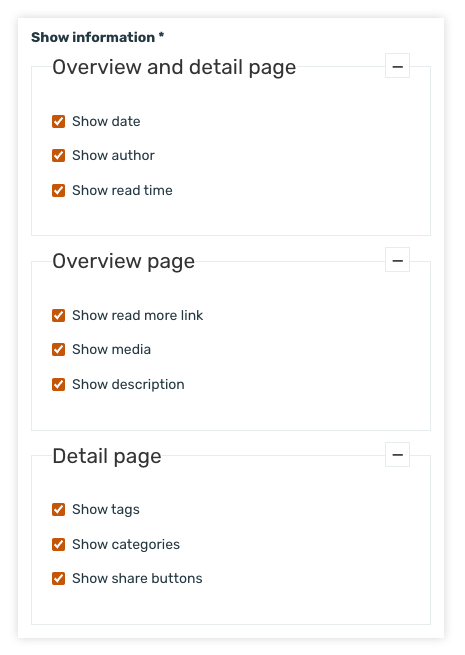
Blog feed optimisations
When you create a blog overview, you can configure various settings that affect how the overview and the blog pages themselves are displayed. We have introduced a clearer distinction between the two different pages
-
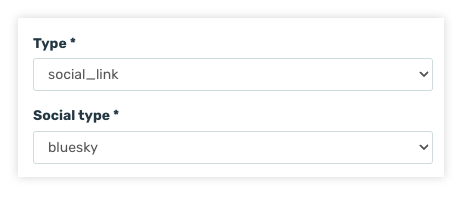
BlueSky platform added to Menu Builder
When adding social media links in Creator, you can now also select BlueSky
-
Word-breaking optimisation
We’re increasingly being asked: Why aren’t words being hyphenated? Particularly on mobile phones, you’ll sometimes notice that a very long word in a title isn’t hyphenated (or is hyphenated strangely) and runs off the screen. This can be due to various reasons. That’s why we’ve written a more detailed article, in which we explain why this problem can occur and what you can do about it (in some cases)! Read the detailed article: When are words hyphenated or not? In this release, we’ve implemented a number of further improvements, meaning that (in some cases) word breaks now work more logically. -
Optimisation of route distance display
Routes have a specific length which we can display on the overview page or the details page. Previously, a decimal place was always shown, even if the number was a round figure. We have now adjusted this. If the distance is a round number, we no longer display a decimal.
Previously: 59.0 km
Now: 59 km -
Technical update
Updates to the underlying technology (For those interested: NPM, Composer).
Receive Plaece News automatically?
Plaece News is sent to all Plaece licensees every month. If you do not yet receive it, sign up here.