
Tiles pagepart optimisation

How can we improve the performance of tiles pageparts? Within the Kunstmaan CMS, we have a number of pageparts in which tiles can be scrolled horizontally. These are the Content Tiles, the Plaece Tiles and the Blog Tiles.
How these tiles work has long been a feature that has raised questions. In particular, scrolling the tiles, the arrows used to do so and the accompanying bullets are not clear enough for website visitors.
What is the problem?
Currently, we have received the following feedback from various implementations:
- The arrows should preferably always be in view. This way, it is always clear that there are more tiles than are currently displayed.
- The arrows are now very large and fall over the content. This can make it impossible to read the content of a tile. Furthermore, it is very difficult to click on the tile to navigate to the page behind it, as this often results in scrolling.
- The number of bullets is confusing; it is unclear how these bullets work now. Is it now the number of tiles, or what is shown here? It gets more complex as screens get smaller (mobile) and the number of tiles differs from the slide's setting. (There are only 2 tiles filled in a 4 tiles setting).
"Research shows that the visitor often does not see the scrolling of the tiles. If the visitor sees it at all, it is because of the dots below the tiles. The arrows are often overlooked. Áif the arrows (accidentally) come into view, it is immediately clear that they can be scrolled."
This is especially true when used on a desktop/laptop. On mobile devices (tablet, phone), the scroll (or swipe) function is more likely to be expected and used automatically.
The operation in terms of scrolling also raises questions. Why are a number of tiles scrolled at once, why not one by one?
How does the pagepart work?
The tiles-pageparts consist of a number of components. To understand how the pagepart works, we briefly explain its anatomy. What do we call the various parts and how do they currently work:
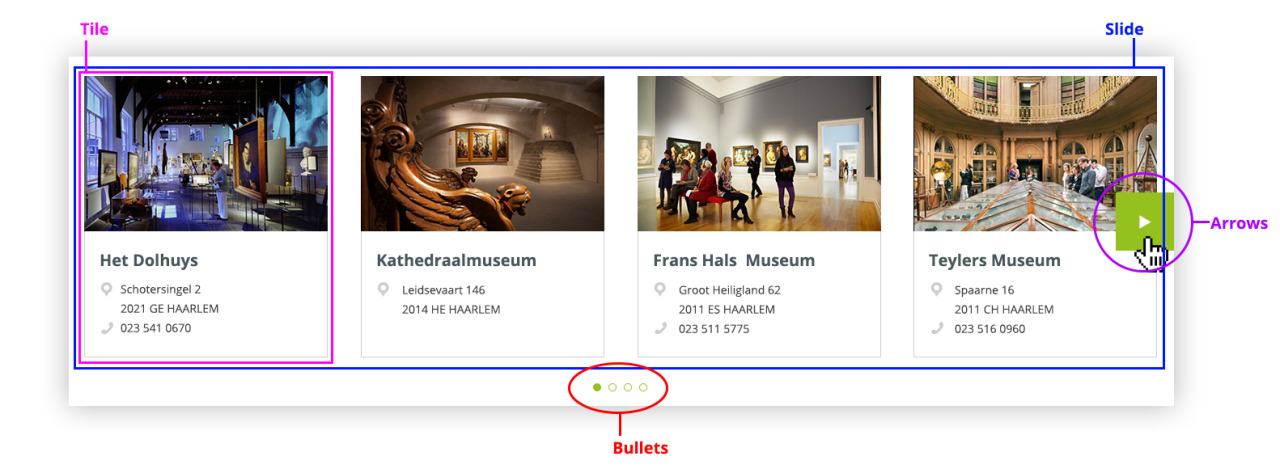
Slide
A number of tiles are displayed on the page; this is the slide. This can be configured in the CMS (minimum 3, maximum 5).
Tile
The tile contains the final content (location, event, content). Each slide contains a number of tiles.
Arrows
If you move the mouse to the side of the screen, an arrow appears, which you can use to scroll through the tiles. Clicking the arrow displays the next slide (the next set of tiles).
Bullets
The bullet points indicate how many slides with tiles there are.
Our proposed solution
Bullets are replaced by arrows, which can be used to scroll through the tiles. Furthermore, the operation of the scroll is also adjusted. You can now scroll by TILE instead of by SLIDE. This way it is always 100% clear what is happening in the picture. The placement of the arrows can differ per implementation, so it can be adapted to the design.
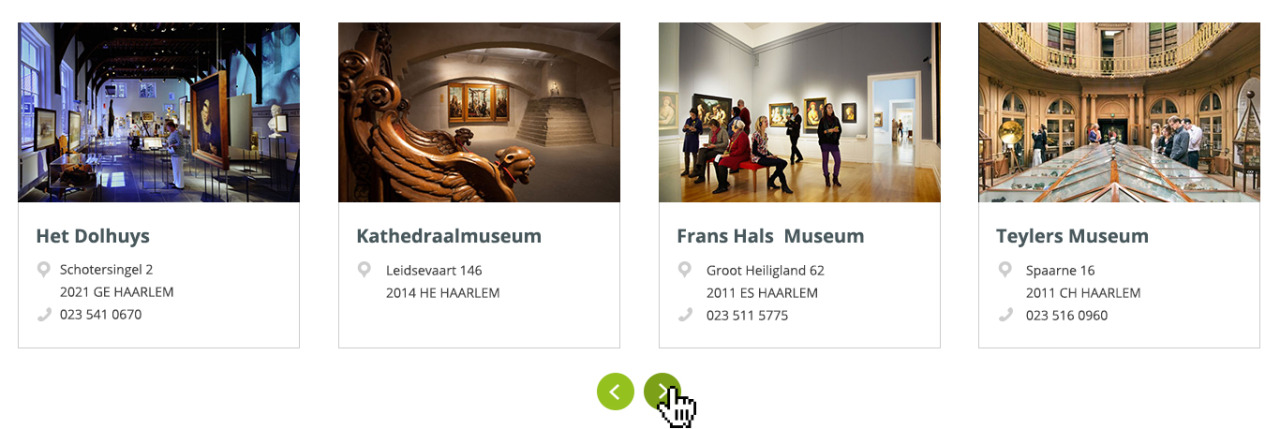
Example of new Plaece Tiles pagepart
Advantages
- Always clear at a glance when scrolling through the tiles.
- Operation of the scroll is unambiguous (1 tile scrolling further per click)
- Confusion of bullets removed
Disadvantages
- Visitors cannot see how many tiles there are at a glance
Some examples:
VisitBrabant:

Example with placement left/right next to the tiles
Haarlem Marketing
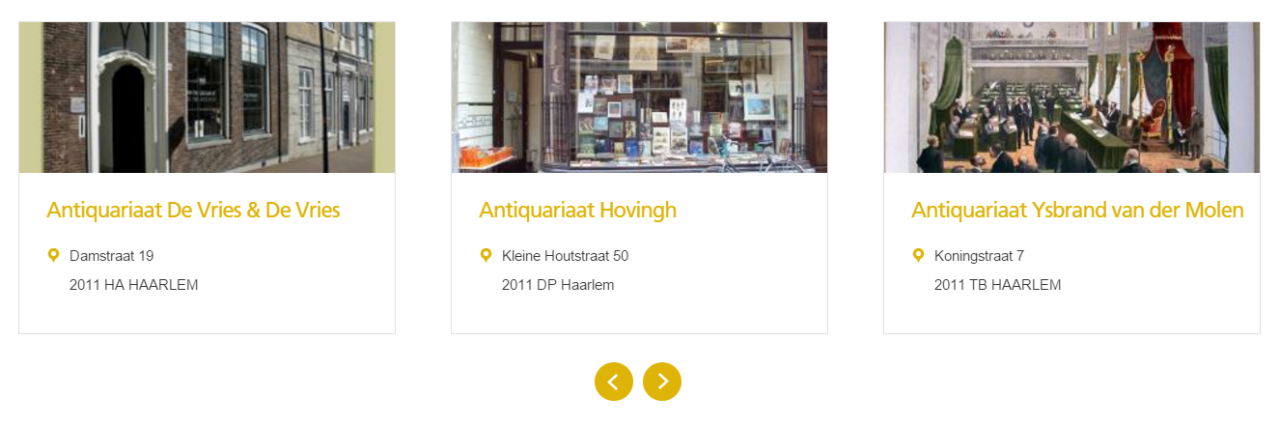
Example with placement centred on the tiles
's-Hertogenbosch Marketing

Example with placement left under the tiles