
Ultimate SEO-optimised page titles with the Hero-pagepart
You want to see the most important title on the page in your search results. By placing this title as H1 on your website, the search engine knows that this is what your page is about. In combination with a carousel as the first content on the page, this was difficult until now. From now on, you can create ultimate SEO-optimised page titles with the new Hero pagepart.
As website manager, you want to be able to design the page as flexibly as possible, but in a semantically correct way so that the page is well indexed and found in Google.
This is what you want as a web editor:
- Enter page title (H1)
- Nice big header photo with page title (Hero)
- Subtitle a page (for more context about the page and from a design perspective)
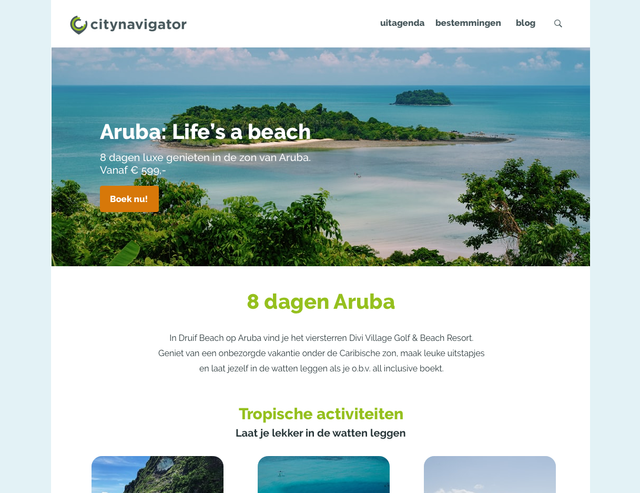
Example of landing page with large visual
New header section on the website
If you install the new pagepart, you will get a new section in the content management system in which you can place content blocks (pageparts): the header section. You can now place the new Hero page part in this new header section. The page part placed in the header section is always placed BEFORE all other content.
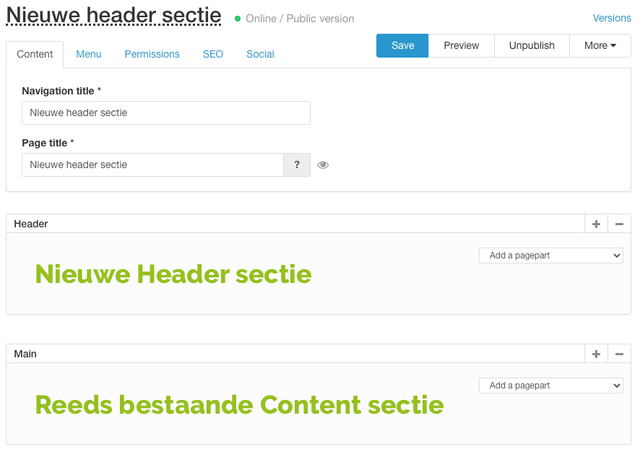
Example of new header section in the CMS
Hero pagepart title becomes H1 on the page
In the Hero pagepart, you have the option to fill in the following fields:
- Title
- Subtitle
- Image/video (several possible)
- Call-to-action button
- Top tasks
If the new Hero pagepart is placed in the header section, the title of the Hero pagepart is automatically set as H1. The title is still visually in the pagepart, but in the code, the title becomes the H1 of the page.
The page title set in the CMS will still be on the page, but will become an H2 in the code.
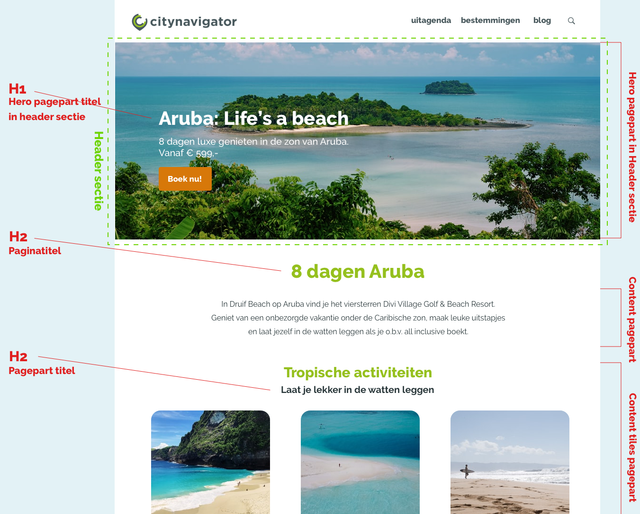
Example of semantic construction of the page with the new Hero pagepart
Top tasks as call-to-action
In the Hero pagepart, you have the option to place multiple call-to-actions (we call them top tasks in that case). You have the possibility to offer up to 5 links to the most important topics. In the example below, we have set 4 top tasks (and no call-to-action button). In addition, we also hid the page title from the CMS.
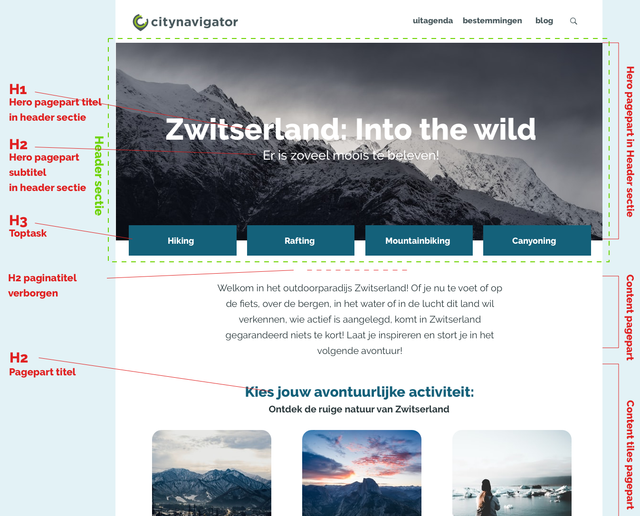
Example of semantic construction of the page with the new Hero pagepart
This is what the Hero pagepart can do
- The title in the Hero pagepart is placed as H1 in the website code.
- When the pagepart is added, the page title (from the CMS) automatically becomes an H2.
- Pageparts filled in the header section always appear above the page title.
- You can disable the page title in the CMS (by clicking on the eye). The page title is then hidden from the visitor, but is still semantically present in the code.
- Up to 5 top tasks can be added, in addition to the call-to-action.
- Multiple images/videos can be added in a carousel. The title, CTA and top tasks will always remain, only the media will rotate.