
plaece.areafilter
Let visitors search within the area they really want to visit.
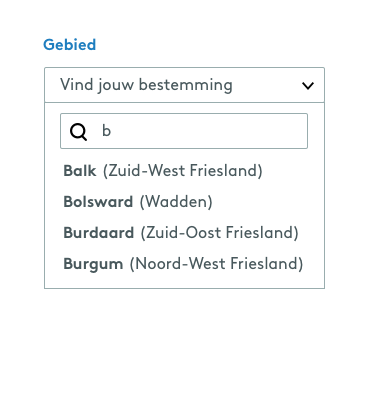
With a small destination, you can see what’s on offer at a glance. With a large destination comprising dozens of neighbourhoods, nature reserves or regions, however, a visitor can easily get lost in an endless list that gives no indication of where they actually want to go.
plaece.areafilter adds an area filter to plaece.filters. Visitors select the area relevant to them from a list – such as a neighbourhood, nature reserve, county or their own regional division. You decide what those areas look like. In Base, you can create these yourself based on postcodes or a map you’ve drawn.
This aligns with how visitors already think about their own trips: people rarely plan a day out based on the region as a whole, but rather on the village, beach or woodland they are actually heading to. A list that does not take this into account feels unnecessarily broad.
This means that, with just a few clicks, a visitor can find only the offerings that are relevant to them, regardless of how large or spread out your destination is.
This results in plaece.areafilter
- With just a few clicks, visitors can find only the offerings from the area where they actually are or are heading to
- Large destinations with a wide range of attractions remain easy to navigate, regardless of the number of neighbourhoods, regions or nature reserves
- Area divisions can be configured entirely according to your own preferences, from neighbourhood to region or county