
plaece.menubuilder
Build a navigation system that feels intuitive to visitors whilst remaining flexible for your editorial team.
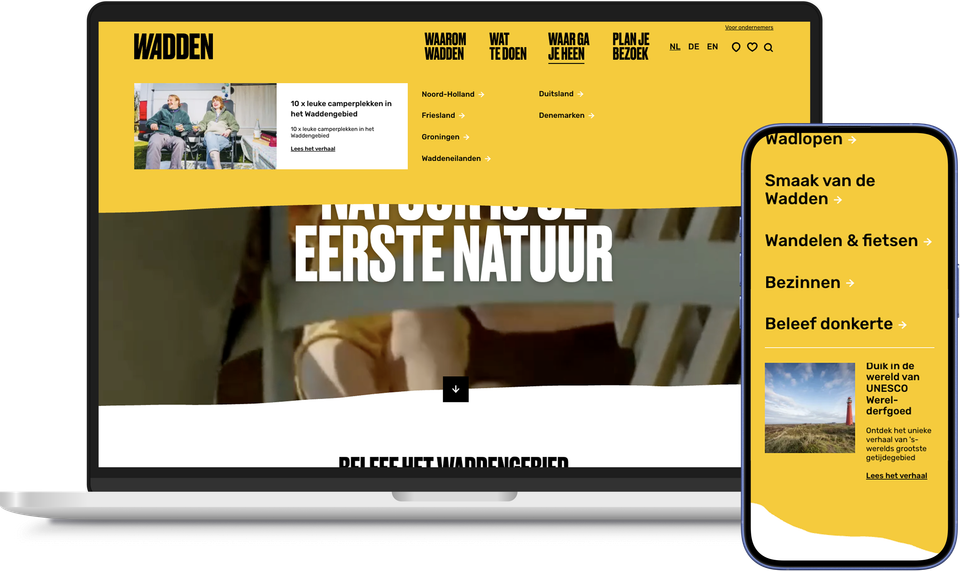
Your website’s navigation is the first thing a visitor sees and the compass they use to explore your site. Logical, well-structured navigation ensures that visitors quickly find what they are looking for. Navigation that doesn’t work properly will cause them to leave.
By default, the menu on your Plaece website is automatically generated based on the page structure. This works well in many situations. But sometimes you want more freedom. A different order, a different layout, pages that exist but don’t need to be in the menu, or, conversely, a direct link to a blog post that must always be visible.
Plaece.menubuilder gives you that freedom. You can put your main and sub-menus together yourself, completely independently of the automatic page structure. You decide what appears, in what order and at which level.
But there’s more. In every drop-down menu, you can add a highlight: a visual block featuring an image, a title and a short text, immediately visible when someone opens the menu. Use it for a recent blog post, a seasonal campaign or a featured activity. This way, your navigation becomes not only a guide but also a way to inspire visitors straight away, even before they’ve landed on a page.
This results in plaece.menubuilder
- Complete freedom in structuring your main and sub-menus
- Independent of the automatic page structure
- Highlights in submenus for the latest blogs, campaigns or featured offers
- Direct links to editorial articles or external pages in the menu
- A better user experience thanks to navigation tailored to your visitor
- Easy to customise without technical knowledge
Build your own main menu and sub-menu, and decide for yourself which pages should appear in the menu.
-
Request a brochure with the rich features.
A basic set of features is supplied automatically. In addition, you are free to choose from a wide range of add-on options.
