
plaece.toplist
Help visitors make choices more quickly with inspiring top lists full of relevant offerings.
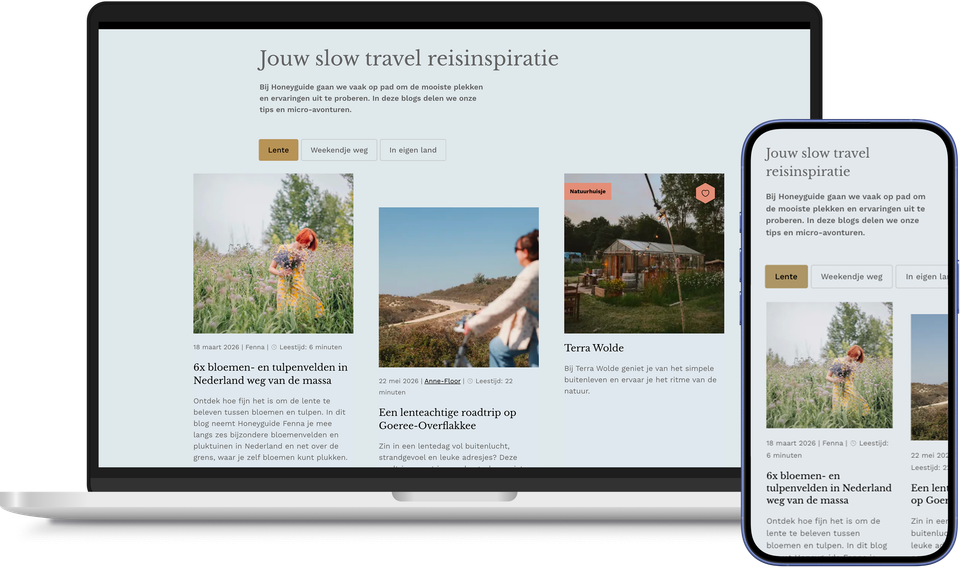
Sound familiar? You’ve put together a great selection: the ten best outdoor cafés, the top family days out, the must-sees for a weekend break. That content’s on your homepage, on a themed page and in a seasonal overview. Then something changes. A terrace closes, a blog article is no longer up to date, a recommendation needs updating. And do you have to edit the same block of content on every single page?
With plaece.toplist, you can do all this in one go.
The top list acts as a central hub within the CMS where you manage your content. Text, images, locations from plaece.base, blog articles or manually written blocks. Everything you want to display in an overview can be collected here. Using the corresponding ‘top list’ page part, you can then select, on a per-page basis, which items you want to display and in what order.
The ‘smart’ aspect lies in the automatic synchronisation. If you make a change to the top list, it becomes visible immediately on all pages where that content appears. No manual updates per page, no forgotten sections still displaying old information. One change, updated everywhere.
For example, the top list for the homepage is just as easy to use as it is for a themed page, a campaign page or a seasonal overview. The content is always up to date, the editorial team works faster and fewer errors creep in.
This results in plaece.toplist
- Centrally manage content and automatically update it across all pages simultaneously
- Less manual work and a lower risk of errors or out-of-date content
- Can be flexibly deployed on any editorial page via the ‘top list’ page part
- Combine locations from plaece.base, blogs and manually written content
- Ideal for highlights, themed pages, campaigns and seasonal overviews
- A single change is all it takes, no matter how often the content is displayed
-
Request a brochure with the rich features.
A basic set of features is supplied automatically. In addition, you are free to choose from a wide range of add-on options.
