
plaece.widget
Turn partners, businesses and regional websites into an extension of your platform.
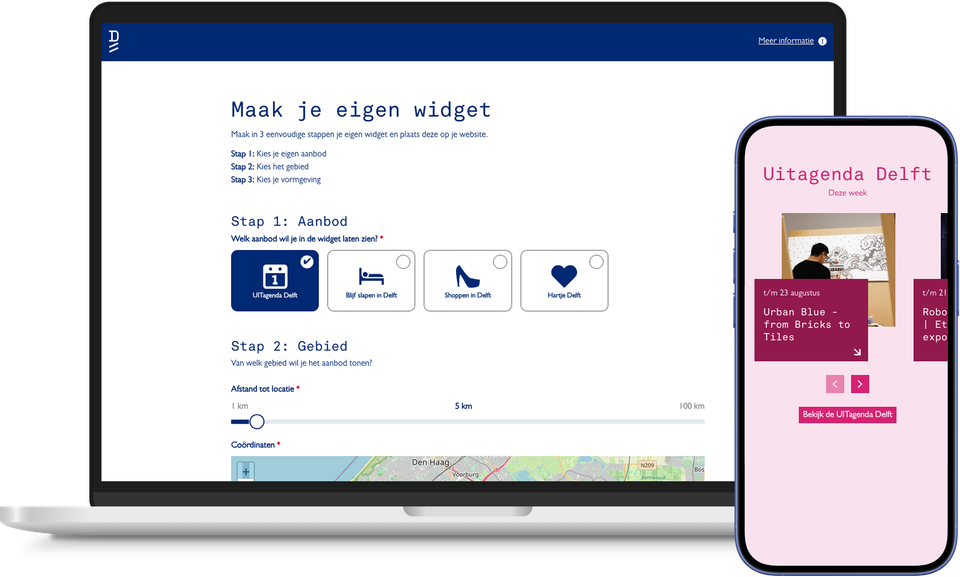
Your target audience isn’t always on your website. They might be on the website of a campsite, hotel, local authority or partner. With plaece.widget, you can bring your content to the places where they already are: events, routes, locations and deals, always up to date on any website where the widget is displayed.
You can customise the widget yourself in three steps. You choose the content, define the area on the map (for example, all activities within ten kilometres of a specific location) and adapt the design to match the house style of the website on which it is placed.
You then share the widget using a single simple code. Partners simply copy this onto their website and they’re done. If you make any changes in plaece.base, the widget automatically updates everywhere at once.
With the new widget generator, partners and businesses can also create and publish widgets themselves. This allows you to scale up your reach without needing to be constantly involved, whilst partners use your content in their own way.
The result: greater visibility for your content, more traffic back to your platform and a stronger network of partners who actively contribute to the promotion of your destination.
This results in plaece.widget
- Your content featured on partner websites or at local businesses
- Widgets featuring locations, events, routes, deals or tips
- Fully customisable in terms of layout, colours and language
- Share a single code; partners can install it themselves without any technical knowledge
- Partners and businesses can use the widget generator themselves
- Content is automatically kept up to date on every website where the widget is installed
- Greater reach, more traffic back to your platform
- Easy to scale up using the new widget generator
Create your own widget in 3 steps
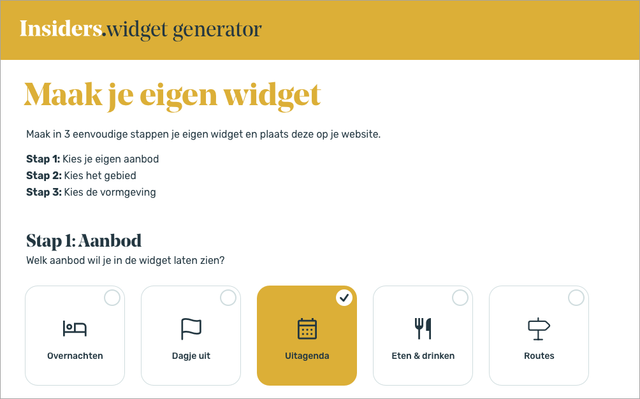
Step 1: Choose your own offer
Choose one of the preset options. Think, for example, about accommodation offerings, places of interest, getaway agenda or itineraries.
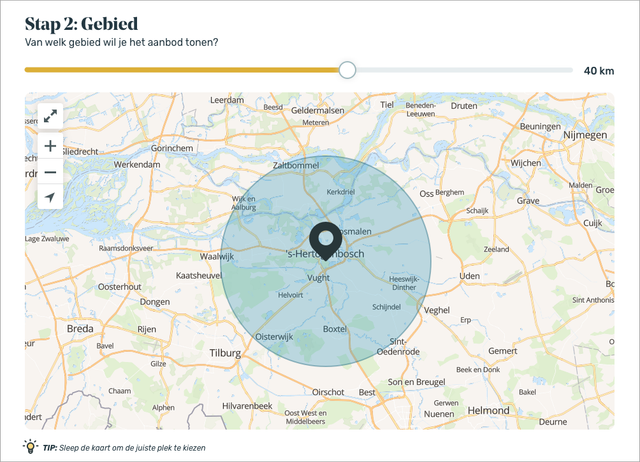
Step 2: Choose the area
Decide which point on the map you want to use as a starting point. For example, this could be the location of a hotel (entrepreneur) with a radius of 10 kilometres.
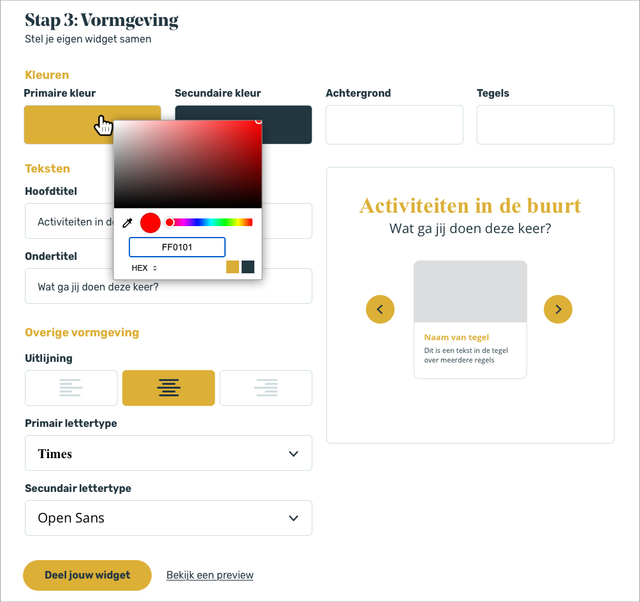
Step 3: Choose the design
The widget already uses your set corporate colours, but can also be customised to fully integrate into your own website in terms of colours and fonts.
Step 4: Sharing and placing
You can see what your widget will look like in real time. Preview what the widget will look like with "real" content as your visitors will see it. Click on "Share your widget" to get a code that you can easily paste on your website.
Your content, wherever it matters.
-
Request a brochure with the rich features.
A basic set of features is supplied automatically. In addition, you are free to choose from a wide range of add-on options.
