
Base Content Map pagepart
Automatically combine top lists and editorial tips with an interactive map.
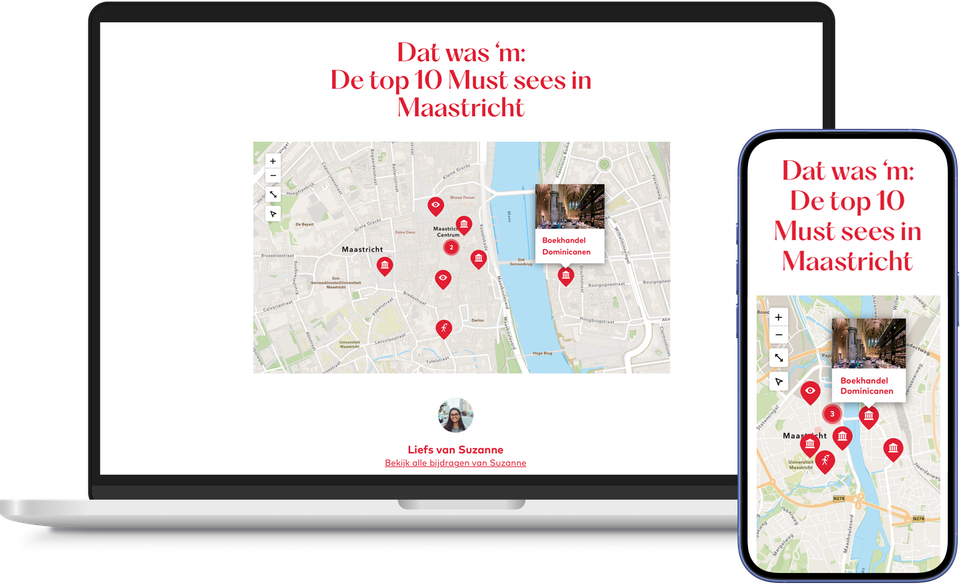
A blog listing the ten best outdoor cafés is fun to read, but it’s even better when a visitor can see at a glance where all those cafés are located.
With the Base Content Map page part, every list is automatically accompanied by its own map. If you select the locations in your blog via the Base Item Picker, they will automatically appear as markers on the map, without you having to enter anything twice.
If you amend a location or replace an item in the list, the map updates automatically. No need to maintain a separate map, and no risk of a marker no longer matching the text.
It works just as well for a list of the best outdoor cafés as it does for a guide to days out or a seasonal overview: wherever you highlight content using Base Item Picker, you can automatically display it on a map.
This makes a list far more convincing than text alone ever could: content that is also visually supported and displayed is trusted more quickly than a list that you simply have to take at face value.
This results in the Base Content Map pagepart
- A list-based blog that comes across as more convincing when accompanied by an accurate map
- Always an up-to-date map, without the need for separate maintenance
- Greater clarity and confidence for visitors looking to make a choice
- No need for duplicate data entry: when you select your locations via the Base Item Picker, they automatically appear on the map