
Carousel page section
Bring atmosphere and experience to life with imagery that entices visitors to click through.
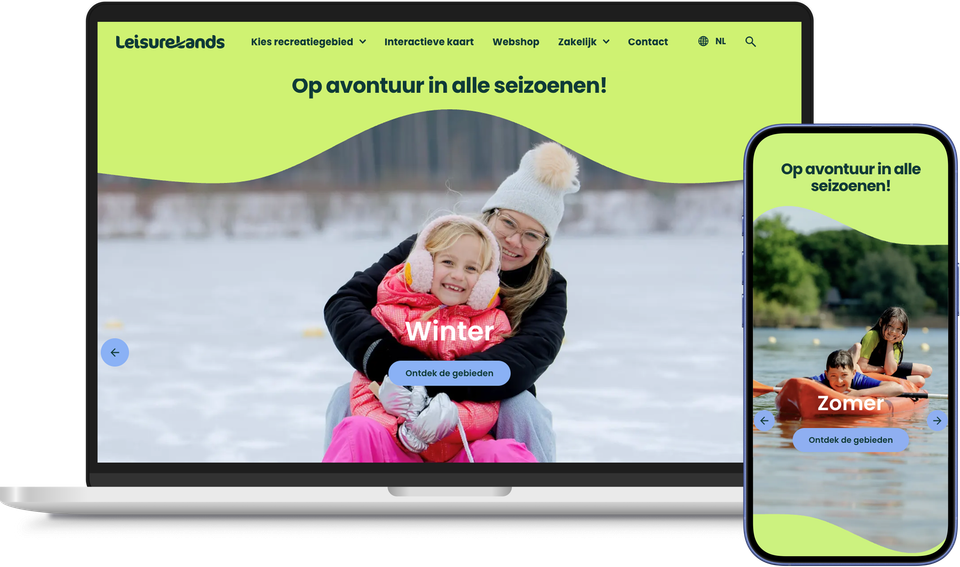
You rarely have just one story to tell. This week there’s a summer campaign, next month a major event, and in the meantime, that one beautiful location also deserves a spotlight. Putting all those stories on the page separately makes the page long and cluttered.
With the Carrousel page part, you can bundle these stories into a single eye-catching block. Each slide features its own image or video, title and call-to-action button, and visitors can click through to the story that appeals to them. This way, you bring atmosphere and action together in one place.
The Carousel can be used wherever you want to highlight multiple topics: on the homepage, on a theme page or on a campaign page. Research into the use of carousels consistently shows that the vast majority of visitors never click beyond the first slide, so the order in which you arrange your stories directly determines what is seen. You choose how many slides to display and where each button leads.
If you combine the Carousel with plaece.planner, you can plan each slide in advance.
The summer photo appears automatically on the first day of summer, a festival announcement arrives just in time, and once the event is over, the slide disappears automatically. This ensures your page is always up to date yet remains clear and organised.
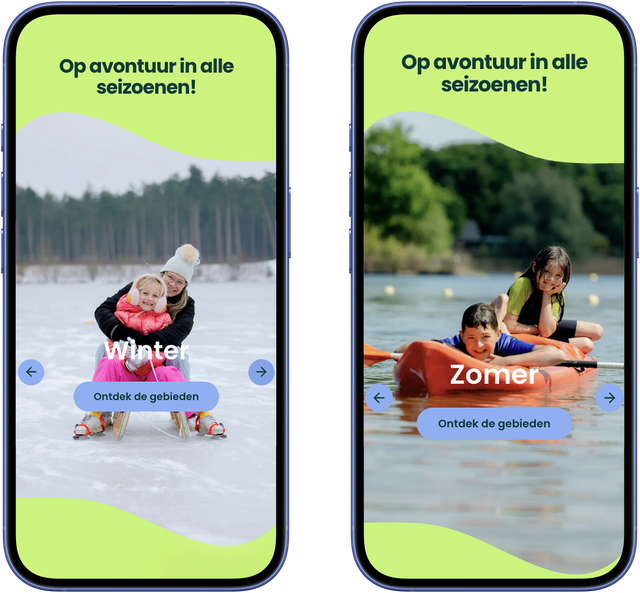
Leisurelands.nl demonstrates that their leisure areas are well worth visiting in all seasons.
This results in the Carrousel page part
- Multiple stories in a single eye-catching block, each with its own image, title and CTA
- Atmosphere and action combined – visitors click through to what appeals to them
- Suitable for use on homepages, themed pages and campaign pages
- With plaece.planner, automatically display each slide at the right moment
- A clearly organised page that still showcases multiple aspects of your destination